Tagging Accounts and Contacts Well
Tags are deceptively powerful. With three minutes of setup you can mark every snowbird, every commercial customer who pays on time, every contact who prefers texts. Then you can filter, report, and message-blast by tag. It's the lightest-weight customization you have.
The problem is the same thing that makes them powerful — they're free-form. Three months in, you have 80 tags, half of them spelled three different ways, and nobody can remember whether to use "VIP", "vip", "Vip Customer", or "Important". Your filtered lists are now lying to you.
This article covers how to design a small, durable tag taxonomy from day one — and how to fix it if you didn't.
When you'd use this
- You're setting up Suprata and want to tag customers from the start.
- You inherited an account with hundreds of tags and want to clean up.
- You want to run targeted email campaigns by customer type.
- You want a quick visual indicator on each account ("VIP", "Past-Due", "DIY-Customer-Only").
Two separate tag systems
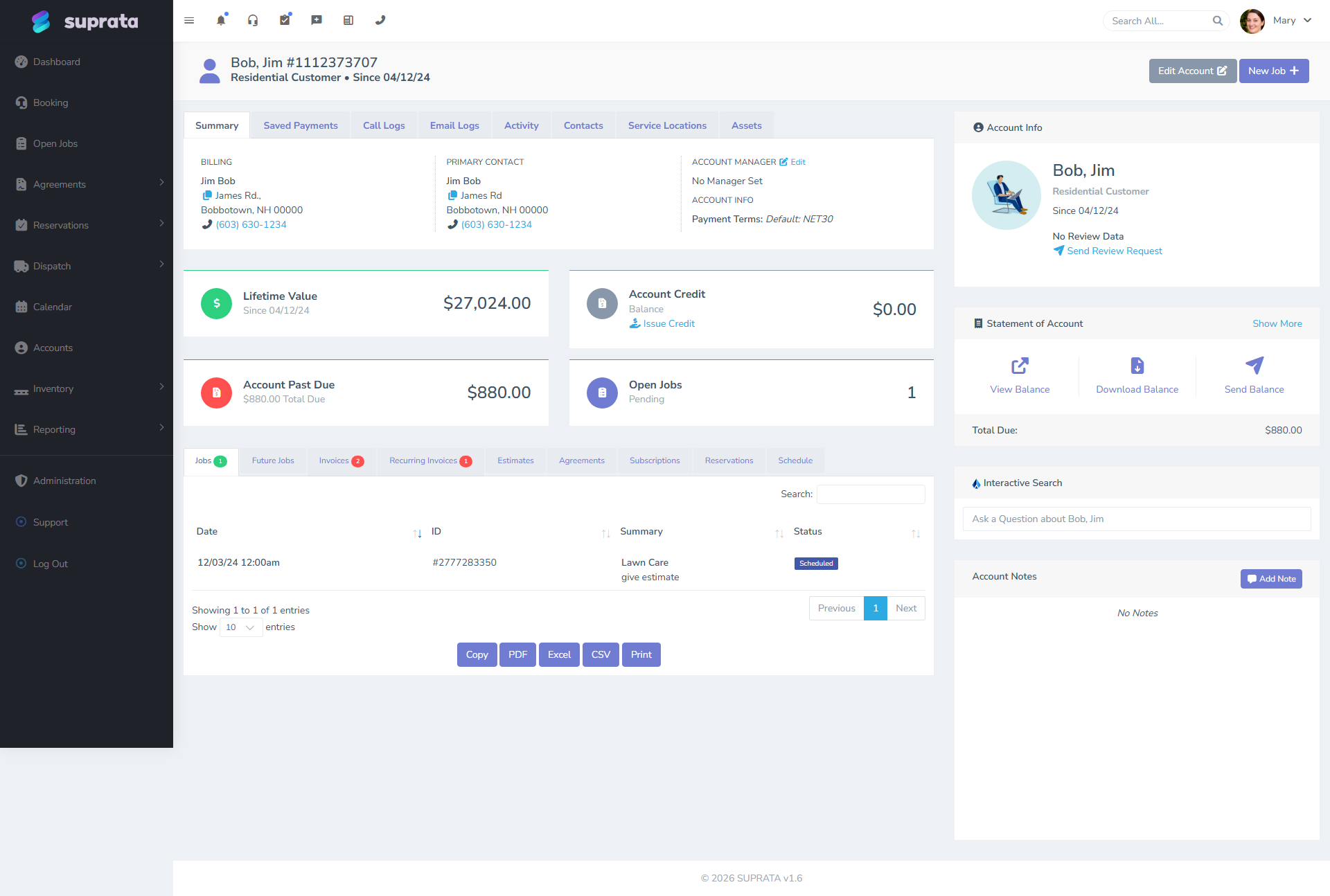
Suprata has two separate tag lists, and using the right one matters. A tag named "VIP" on an Account is a different tag from "VIP" on a Contact — they aren't shared.
- Account tags describe the billing relationship. They apply to "ACME Bakery" the entity, not to any one person at ACME.
- Contact tags describe the person. They apply to "Sarah Bakerton", a specific human, not to her employer.
Get this distinction wrong and your reports break. "Pays on time" is an Account trait — it's about the entity that signs the checks. "Speaks Spanish" is a Contact trait — it's about the human you talk to. If you tag Sarah Bakerton "Pays on time", filtering Accounts by that tag won't find ACME, because the tag is on the wrong side.
A useful test: would the trait still be true if this person changed jobs? If yes, it's a Contact tag. If no, it's an Account tag.
The four buckets that cover most needs
Most healthy tag systems fall into four buckets. Pick which buckets are useful for your business; ignore the rest.
Bucket 1 — Customer segments (Account tags)
Big-picture categorizations of the customer.
Examples:
Residential/Commercial/Property-Manager(if you want a quick visual, even though Account Type already encodes this).VIP— your top-tier customers who get priority scheduling.Snowbird— seasonal residents you don't bother in summer.Subscription— customers on a recurring agreement.Net-30/COD— payment terms group, used for filtering AR reports.
Bucket 2 — Operational handling (Account tags)
How this customer should be handled differently.
Examples:
Gate-Code-Required— tech needs a code to enter.Dog-on-Property— caution before knocking.Call-Before-Arrival— customer prefers a phone heads-up.No-Email— never email this customer; phone or mail only.Past-Due— used by AR for collections workflow.
Bucket 3 — Marketing/segmentation (Account tags)
Used for email campaigns and reports.
Examples:
Furnace-Customer/AC-Customer/Plumbing-Customer— what they buy.New-In-2026— onboarded this year.Lapsed— haven't called in 18 months.
Bucket 4 — Person-specific traits (Contact tags)
Things about the human, not the relationship.
Examples:
Decision-Maker— they sign off on bigger work.Property-Manager— for the contact who manages multiple properties.Speaks-Spanish(or whatever languages your team handles).Texts-Preferred/Calls-Preferred.AP-Contact— accounts payable, for invoice routing.
Design principles
A few rules that keep your tag system sane past month two:
1. Pick a naming convention and stick to it
The most common collapse is mixed casing and spacing — vip, VIP, Vip Customer, vip-customer all coexist and your filter for "VIP" misses three-quarters of the customers you meant.
Pick one. Our recommendation: Title-Case-With-Hyphens. Easy to read, no spaces (avoids one specific class of typo), Title Case visually distinguishes tags from random words.
2. Keep the total tag count under 30
Past 30, nobody can remember what's available, so they invent new tags rather than search for existing ones. Past 60, the system is mostly noise. The discipline is to retire tags when you stop using them.
3. Don't tag attributes that already have a column
Account Type, Payment Terms, Account Manager — these are first-class fields with their own filters. Don't duplicate them as tags. Tags are for things the system doesn't track natively.
4. Don't tag things that change frequently
Currently-On-Vacation is a bad tag because nobody updates it when vacation ends. Past-Due is a borderline tag because aging changes — better handled by the AR report, not by a manually-maintained tag.
Good tags describe relatively stable attributes: customer segment, handling preferences, traits.
5. Treat tags as a controlled vocabulary, not free text
Have one person (or one team) own the tag list. Adding a new tag should be a small deliberate decision, not a casual entry by whoever has the account open. If you don't gatekeep, your taxonomy will sprawl.
6. Document what each tag means
Keep a one-page document somewhere your team can see: "This is our tag list, here's what each one means, here's how to apply them." Without this, three different people will use VIP to mean three different things.
A starter taxonomy
If you're setting up from zero and want a default, here's a working set:
Account tags:
Residential,Commercial(only if useful beyond Account Type)VIPSubscription— on a recurring agreementPast-Due— flagged for AR follow-upNo-Email,Gate-Code-Required— handling flagsLapsed— no work in 18+ months- One per service line you sell (
Furnace-Customer,Pool-Customer, etc.)
Contact tags:
Decision-MakerProperty-ManagerAP-ContactTexts-Preferred- One per language you handle beyond English
That's a dozen tags, give or take. Plenty of slicing power, low maintenance burden.
Cleaning up an existing mess
If you've inherited or grown a sprawling tag list, the cleanup pattern:
- List every tag in use. Both Account and Contact, separately.
- Group near-duplicates.
VIP,vip,V.I.P.,Vip-Customerare one concept. - Pick the canonical name for each concept — and rename the others to match. Renaming a tag updates it everywhere it's been applied, so you don't have to re-tag every account by hand.
- Retire tags you don't actually use. Anything applied to fewer than three records and not part of your core taxonomy — delete.
- Document the survivors in your one-pager.
- Communicate to the team. "Going forward, the tag list is what's in this doc. Don't add a new tag without checking with [owner]."
Plan a half-day for this on a quarter when things are slow. The cleanup is a one-time pain that yields years of clarity.
Common mistakes
- Tagging the Account when you meant the Contact (or vice versa). Filters miss what you expect. The "would this still be true if the person changed jobs?" test will save you.
- Inventing a new tag every time you need to mark something. New tag with no convention = sprawl. Look first; only add if no existing tag fits.
- Using tags as a to-do list. "Send-Christmas-Card" is not a tag, that's a workflow. Use a real task or automation.
- Tagging things the system already tracks. Don't tag "Net-30 Terms" if Payment Terms is already a field. Redundant tagging means two sources of truth.
- Letting case and spacing drift.
VIP,vip, andVipare three tags as far as the database knows. Rename, don't recreate. - Skipping documentation. A tag list nobody knows the meaning of becomes a tag list nobody trusts.