Account Notes and When to Use Each Type
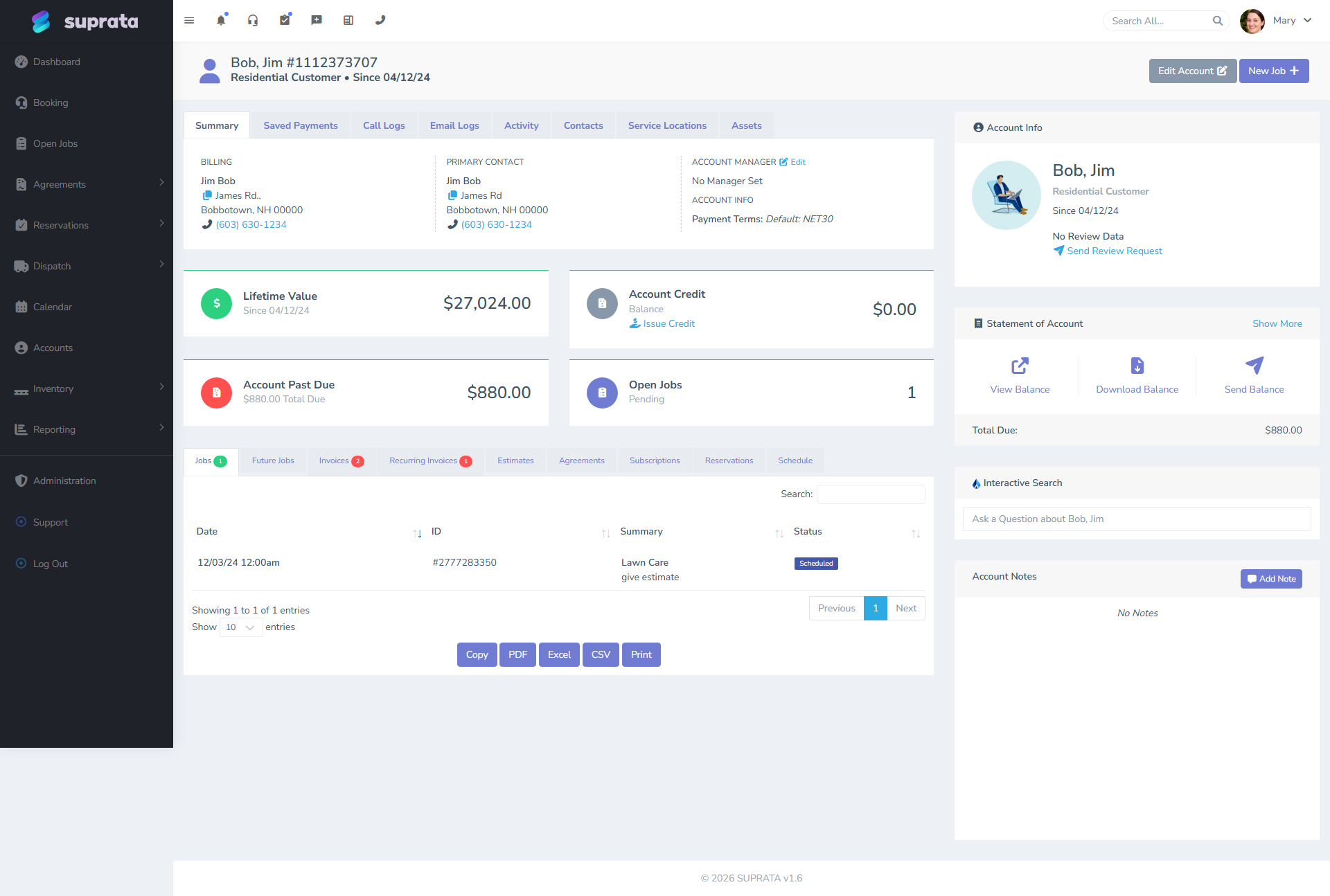
Suprata gives you several places to write things down on an account: free-form notes, tags, and the activity/timeline log. They look interchangeable on the surface but they serve different purposes, and using the wrong one means you can't find your information later when you need it.
This article covers the difference and offers a simple rule for what goes where.
When you'd use this
- A customer told you something important on the phone and you want to remember it.
- You need to leave a heads-up for the tech going onsite tomorrow.
- You're trying to find an old note and can't recall whether you typed it as a note or applied it as a tag.
- You're cleaning up an account that has 40 notes nobody's read in two years.
The three places things get recorded
There are three distinct surfaces:
1. Notes — free-form prose
Free-form text attached to the account. Good for things that need explaining: context, history, a story.
Examples:
- "Customer's wife handles the bills, husband schedules service. Wife wants invoices emailed; husband wants service confirmations texted."
- "Bought their condo in 2024 from previous owners — tank in the basement is the original 1992 unit. Recommend replacement next budget cycle."
- "Had a billing dispute in November; resolved by issuing a $50 credit. Customer acknowledged in writing."
Notes can be long. They live forever. They're searchable.
2. Tags — structured labels
A tag is a one- or two-word label applied to an account or contact. It's a yes/no fact: this account is VIP, this account is Past-Due. See Tagging accounts and contacts well for the full taxonomy guidance.
Use tags when you'd want to filter or group by the trait. "All my VIP customers" is a useful list to pull; "all customers I wrote a paragraph about" isn't.
3. The activity log / timeline — system-generated history
The activity log automatically records what happened on the account: jobs created, invoices sent, payments received, status changes. You don't write to this; it writes itself.
Use the timeline when you're trying to reconstruct what happened when — chronological history, not commentary.
The simple rule for which to use
Ask: what am I going to do with this information?
- "I want to filter my customers by this trait." → Tag.
- "I want to read this when I open the account next time." → Note.
- "I'm trying to figure out what happened." → Timeline.
If you find yourself writing the same paragraph as a note over and over (e.g., "VIP customer — give scheduling priority"), that's a signal it should be a tag instead. If you find yourself trying to use a tag for something nuanced ("Customer-Wants-Wife-Cc-On-Invoices-But-Husband-Approves-Estimates"), that's a note.
Note types — when there's more than one
Suprata supports a few note variants on an account; the distinctions matter:
- General notes — the catch-all. Most things go here.
- Internal/staff notes — visible to your team only; never shared with the customer in any view.
- Customer-facing notes — ones that may appear on the customer portal or in emails. Treat these as if you were writing to the customer.
- AI-summarized notes — see below.
If your version of Suprata distinguishes these by a type or visibility flag on each note, set it consciously. The default for a new note is usually "internal" — don't accidentally write a private observation as a customer-visible one.
AI-summarized notes
Suprata can run an AI pass over an account's notes, jobs, and recent activity to produce a one-paragraph summary of "who is this customer and what's going on with them?". This summary updates as new activity rolls in.
When that's useful:
- A new dispatcher is opening an unfamiliar account and wants context fast.
- A salesperson is following up after a long quiet period and needs a refresher.
- Quality assurance is reviewing accounts that had complaints — the summary surfaces the pattern.
When that's not useful:
- For accounts with very little history (the AI has nothing to say).
- For looking up a specific fact ("what's their gate code?") — the summary won't quote you the gate code, it'll generalize. Use search for that.
- As a substitute for reading the actual notes when something matters. The AI can hallucinate; don't make decisions on a summary alone.
The default we recommend: keep AI summaries on for accounts with significant activity, and treat them as a primer, not a citation. The actual notes are still the source of truth.
Note hygiene
A few practices that keep notes useful past month one:
Date and sign your notes
Even if the system records the timestamp and author automatically, type "[BR 2026-04-29]" or similar at the start of substantive notes. When the system later re-orders, exports, or AI-summarizes, the inline signature helps reconstruct context.
Keep one note per topic
A 1500-word note about "everything that's ever happened with this customer" is hard to read and harder to update. Break it up: one note per topic, dated, and let the timeline carry the chronology.
Pin the high-value note
Most note systems support pinning or marking a note as "important" so it stays at the top of the list. Use this for the one most important thing about the account — gate code, allergy, language preference, the chronic dispute. The rest can scroll.
Retire stale notes
A note that says "Customer thinking about a new water heater" is useful for two months. After that it's noise. Either turn the lead into action (book the appointment) or close the loop in the note ("declined Sept 2025; revisit fall 2026"). Don't leave open-ended speculation forever.
Don't put credentials in notes
Customer's portal password, admin's PIN, anything sensitive — don't drop it into a free-form note field. Notes are visible to anyone with access to the account, and they show up in exports. If you need to record a password, use a password manager external to Suprata.
What goes in notes vs. on a job vs. on an invoice
Three places that all let you write text. Quick rules:
- Account notes — facts about the customer relationship that span jobs. Customer preferences, history, billing arrangements.
- Job notes — facts about one specific job. What we did, what we found, what's outstanding for the next visit. These don't belong on the account because they're job-scoped.
- Invoice line items / memo — facts that should be on the customer-facing document. Description of work, reasons for line items, terms.
The same observation can belong in multiple places — "we replaced the thermostat" goes on the job note (operational record), on the invoice (what we billed), and possibly summarized into an account note ("upgraded thermostat to programmable in April"). Don't over-duplicate; the timeline already links jobs and invoices to the account.
Common mistakes
- Putting filterable traits in notes. "VIP" or "Subscription Customer" inside a paragraph is invisible to filters. Use a tag.
- Treating the note field as a general scratchpad. Random thoughts about a customer pile up and bury the important stuff. One note, one topic, dated.
- Storing job-specific information at the account level. Next year you can't tell which heater the note refers to. Job notes belong on the job.
- Writing private commentary as a customer-facing note. Check the visibility flag before you save. "This customer is impossible" might be the truth, and also might end up in their portal.
- Trusting the AI summary as ground truth. It's a primer. The actual notes are authoritative.
- Never deleting anything. Two years of stale notes makes the account hard to skim. Retire what's no longer relevant.
Related articles
- The anatomy of an Account vs. a Contact
- Tagging accounts and contacts well
- The account dashboard tour
- AI search and account summaries (forthcoming)