SMS templates for past-due reminders
A past-due text gets answered. A past-due email gets archived. Once SMS is added to the reminder sequence, most service businesses see meaningfully more of their overdue invoices get paid.
But text is a personal channel. Get the tone wrong and you'll damage the customer relationship in a way that costs more than the invoice you were trying to collect. This article covers when SMS belongs in your past-due sequence, what to send and when, and the compliance basics that keep you out of trouble.
When you'd use this
- You've already set up Twilio and email confirmations are working. Past-due SMS is a later step, not a first-week one.
- You have invoices regularly going past 30 or 60 days and email-only reminders aren't getting them paid.
- Your customers have cell numbers on file and have consented to texts (more on consent below).
- You want to reduce the time your team spends on collection calls. SMS replaces a lot of "just calling about invoice 4421" phone calls.
If you're still building out your invoice-send and appointment-confirmation templates, do those first. Past-due SMS works best once the rest of the customer-touch sequence is in place.
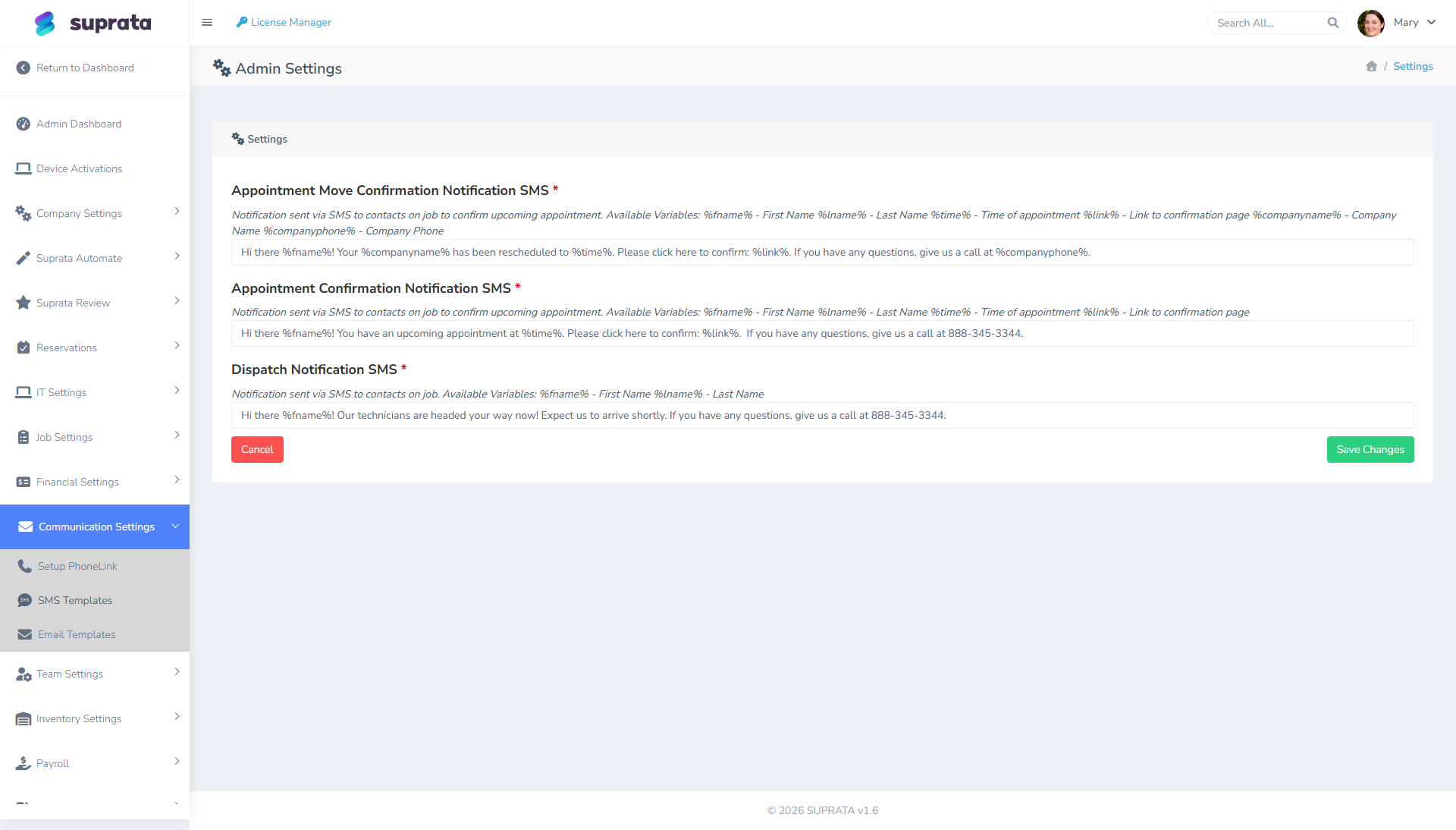
The mental model — where SMS fits in the past-due sequence
A typical sequence for a healthy service business:
- Day 0 — Invoice issued. Email with PDF and pay-link.
- Day 7 — Friendly reminder email. ("Just a heads up.")
- Day 15 — Second email, slightly firmer. Mention late-fee policy if you have one.
- Day 30 — First SMS reminder. Short, factual, with a pay link.
- Day 45 — Phone call from your team. (Real human; SMS isn't a substitute here.)
- Day 60 — Final email + final SMS before sending to collections / writing off.
SMS slots in around day 30 because it gets attention where email has stopped. Earlier than that and customers feel pestered; later than that and you've lost momentum.
You can run this sequence by hand, or build it into automations once you've tested the wording manually. Don't automate past-due SMS until you're confident in the message — an automated rude text to your best customer is hard to take back.
Three templates, in escalating tone
Tone is the variable that matters most. Past-due SMS rides a narrow line: factual, not threatening. Friendly, not flippant. Specific, not vague.
Template 1 — The day-30 nudge
Hi {firstname}, this is {companyname}. Invoice #{invoicenum} for {amtdue} is past due. Pay here: {paylink} — or reply if you have questions. Thanks!
What this does: assumes the customer just forgot (most of them did), gives them a one-tap way to pay, and invites a reply if there's something to discuss.
Try to keep it under 160 characters. The {paylink} token comes back as a short URL, which helps.
Template 2 — The day-45 follow-up
If you don't do a phone call at this stage, or you do and didn't reach them, the follow-up SMS is firmer:
Hi {firstname}, {companyname} again. Invoice #{invoicenum} ({amtdue}) is now 45+ days past due. Please pay or call us at {companyphone} to discuss. Pay link: {paylink}
What this does: signals you've noticed the silence, names the option of calling to discuss, and still offers self-serve.
Template 3 — The day-60 final
Hi {firstname}, this is your final reminder before invoice #{invoicenum} ({amtdue}) is referred to collections on {date}. Please pay at {paylink} or call {companyphone} today.
What this does: states the consequence and the deadline. No threat language; just the fact.
Whether you actually send to collections is a separate decision. Don't send this template if it's a bluff — customers can tell, and it weakens every future message.
Tone — what works
- Lead with their first name. Personalization signals "this is about you specifically", not a blast.
- Identify yourself by company name in the body. The customer sees a phone number, not a sender name. Without
{companyname}in the message, it reads as a stranger. - State the invoice number and amount. Specificity proves it's legitimate and reduces "what is this?" replies.
- Include the pay link or phone number. Action paths, not dead-end statements.
- Use plain language. "Past due", not "in arrears". "Please pay", not "remit payment". You're not a bank.
Tone — what doesn't work
- All-caps anywhere. Reads as anger.
- Threats or shame. "We're disappointed" or "This is unacceptable" is a relationship-ender, even when you're right.
- Late-fee multiplication math in the body. ("Pay $487.32 today or $521.45 by Friday or $584.67 by next Tuesday.") If you charge late fees, mention them once at day 15 and again at day 45 — don't recalculate in every text.
- Dispute language without a path. Don't say "if you dispute this, contact us" without giving them a way to. The pay link should also offer a "I have a question" path.
Timing — when to send during the day
US convention is 8am–9pm local time for any non-emergency texting. Suprata's send schedule typically respects business hours, but double-check before you turn anything on.
Practical recommendations:
- Tuesdays and Wednesdays mid-morning are the sweet spot for past-due reminders. People are at their desks and working through their inbox.
- Avoid Mondays. People are buried in weekend catch-up and texts get lost.
- Avoid Fridays after lunch. People aren't going to pay anything on Friday afternoon if they haven't already.
- Never send past-due SMS on weekends or holidays. Even when it's legally fine, it makes you look desperate.
Consent and compliance
Past-due SMS sits in a particular regulatory zone. US rules generally treat transactional messages (about a relationship the customer already has with you) more leniently than marketing messages. A past-due notice counts as transactional — the customer hired you, you did the work, and reminding them about the invoice is part of that relationship.
That said:
- Get consent at signup or the first invoice. When you onboard a customer, ask: "OK to text you about appointments and billing?" Note the consent on their record.
- Honor STOP requests immediately. Twilio handles this automatically — if a customer texts STOP, that number is blocked. Don't try to work around it.
- Don't text numbers that came from a third-party list. Only use numbers customers gave you directly.
- Don't text a contact tagged "do not contact" or "marketing only". If you've flagged it, respect the flag.
- Make sure your number is A2P 10DLC registered. Past-due SMS is exactly the kind of traffic that gets unregistered numbers throttled. See Setting up SMS via Twilio for the registration steps.
What to do when a customer replies
A real chunk of customers will reply to a past-due text — and the reply is the most valuable part of the conversation. Treat it that way.
- Make sure inbound SMS is being read. Replies show up on the customer's account thread. Have someone check daily, not weekly.
- Reply within a business day. A long delay undoes the trust the original message built.
- If they say "I paid this last week" — check. They might be right. Look at the invoice's payment history before pushing back.
- If they say "I can't pay right now" — offer a payment plan, don't ghost. Most service businesses can take two or three monthly installments without much fuss. Set the arrangement up, note it on the account, and stop the past-due sequence for that invoice.
Common mistakes
- Sending past-due SMS the day after the invoice was due. That's not past-due, that's pestering. Wait at least 30 days.
- Leaving out the invoice number. Customer can't tell if the message is legitimate; they reply "what invoice?" or ignore it.
- Leaving out the pay link. Without it, you're forcing them to log into the portal, find the invoice, and click pay. Half won't bother.
- Sending to someone who paid but the payment hasn't posted yet. Common with ACH (a few days' delay) and mailed checks. Check the payment status before the message goes out.
- Using the same number for past-due notes and marketing blasts. Drives opt-outs and hurts your sender reputation. If you're doing both, use different numbers.
- Automating before checking the wording. Send the first 20 by hand. Read each reply. Adjust the message. Then turn on the automation.
- Forgetting to stop the sequence after payment posts. A "you owe us" text the day after a customer paid is one of the worst experiences you can deliver. Make sure your automation has a "skip if paid" condition.
Related articles
- Setting up SMS via Twilio
- Customizing the invoice email template
- Sending an invoice to a customer
- Late fees — when and how to charge them
- Setting up automation workflows