Setting Up Suprata for a Property Management Company
Property management is the case where the obvious setup goes wrong fast. The intuitive thing — "one account for the property management company, with all 30 properties hung off it somehow" — leads to a tangle of mismatched billing, mixed-up service histories, and reports that can't tell properties apart.
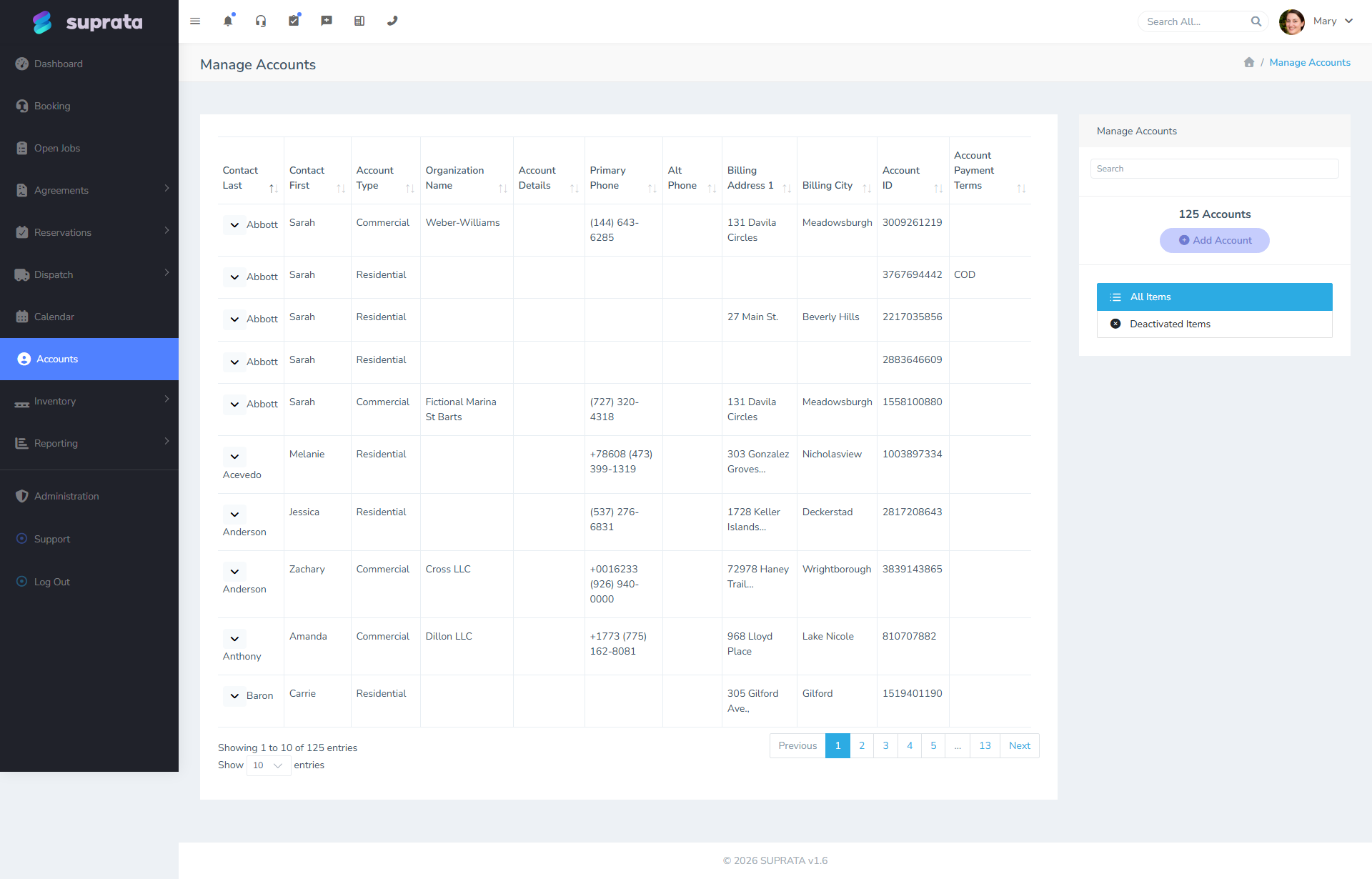
The right model is the inverse: each property is its own account, the property manager is a single contact who appears on all of them, and the system is happy to let one contact span any number of accounts.
This guide walks through that pattern and the variations.
Why one-account-per-property
Each property has its own:
- Owner (the actual landlord, who may or may not be the management company).
- Service history — what was done, when, by whom.
- Billing — invoices for repairs, maintenance, anything else.
- Equipment (HVAC, water heater, appliances) tracked as service assets.
- Tenants who come and go, but the property remains.
If you collapse all 30 properties into one account, none of those things stay separate. You can't pull a service-history report for one specific house. The owner of one property can't pay their bill independently. Equipment at house A and house B are mixed in one undifferentiated equipment list.
So: each property gets an account.
The property manager as a shared contact
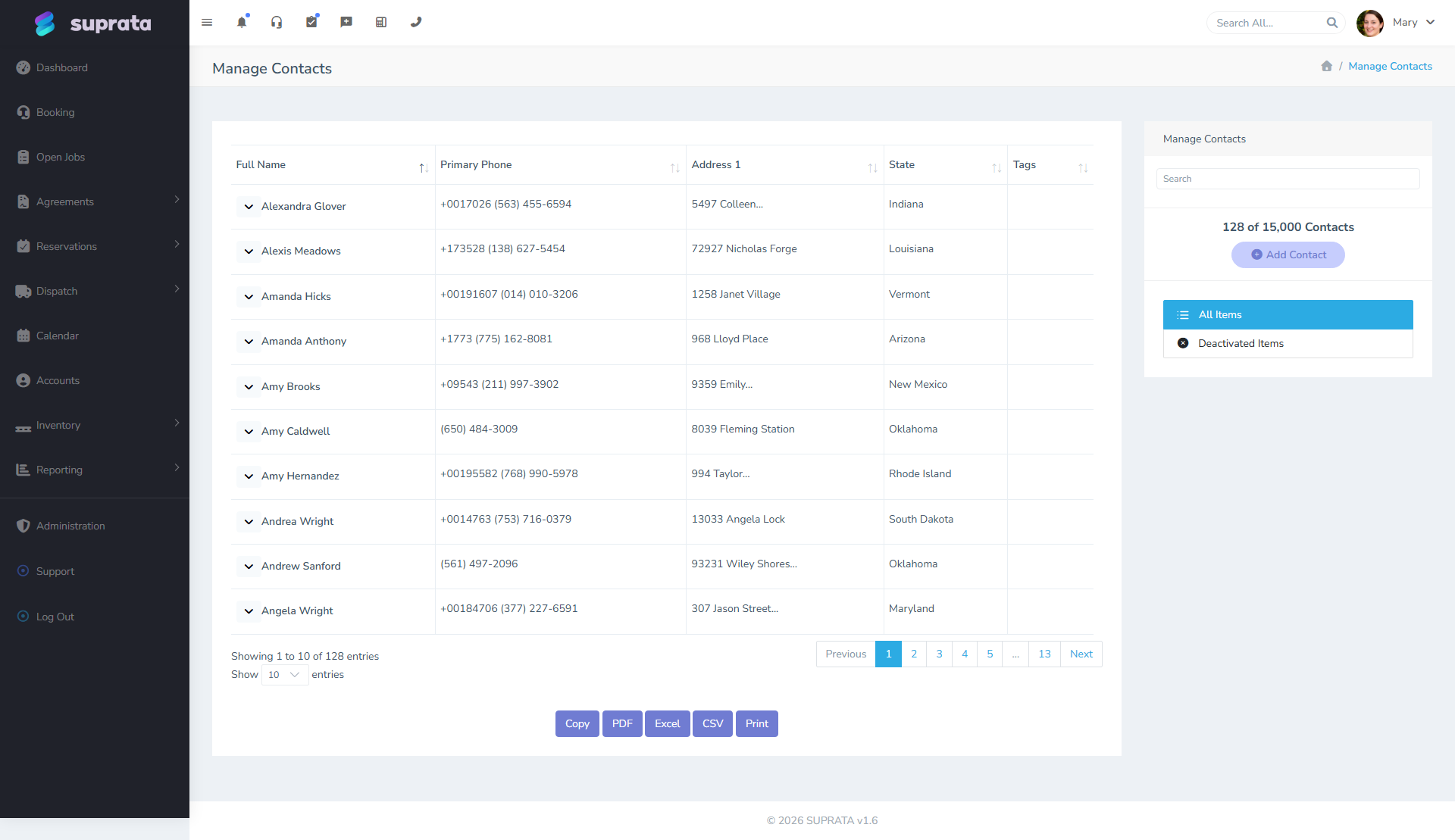
A contact in Suprata is a person — not a billing entity. One contact can be associated with many accounts via the contact-to-account relationship. So the property manager (let's call her Sarah Jones at ACME Property Management) is one contact record. She gets attached to all 30 property accounts. Her phone, email, and notes follow her — when you call to schedule a service visit, you call Sarah, regardless of which property the work is at.
When you create a job at any of the properties, Sarah shows up as a contact option (because she's on the account). She's also still on every other property where she manages.
If ACME has multiple property managers — Sarah handles east-side properties, Tom handles west-side — both contacts exist. Sarah is on her 15 accounts; Tom is on his 15.
Who's billed?
This is the question that drives the rest of the setup. There are three common patterns:
Pattern A: Owner pays directly
The property manager dispatches work; the bill goes to the property owner.
- Account name: the property's address (e.g., "123 Main St — Smith").
- Billing address: the owner's mailing address (different from property address).
- Account contact: Sarah (manager), and probably the owner too.
- Service location: the property address.
This is the cleanest pattern. Each property's owner sees their own bills, pays directly, and the management company handles scheduling and follow-up but doesn't take on financial liability.
Pattern B: Management company pays, rebills owner
The management company pays you on a consolidated basis, then rebills owners through their own software.
- Account name: still the property (so service history stays separate).
- Billing address: the management company.
- Contact: Sarah.
The bill arrives at ACME, ACME pays you, and they handle the owner-side accounting separately. This is more common with smaller management companies that bundle vendor relationships.
If ACME consolidates, they probably want a monthly statement listing all the properties' charges. Use the statement-of-account feature, filtered to "all accounts where Sarah is a contact" — or create an internal grouping (a customer group) for ACME's properties.
Pattern C: Hybrid — small repairs paid by manager, big jobs paid by owner
Some agreements: management company has a small repair budget ($500/month) for routine stuff; anything bigger requires owner approval and gets billed direct.
- Same one-account-per-property model.
- Configure the billing-address field per-job: small jobs route to ACME, big jobs route to owner.
- This needs more discipline from your office staff but the system supports it.

Setup steps
Step 1: Create the property manager as a contact
Before you create any property accounts, create the contact for the property manager(s). One contact record per person. Capture phone, email, role (e.g., "Property Manager — ACME").
Step 2: Create one account per property
Go through ACME's property list and create an account for each. Use a naming convention that makes them easy to find:
- "123 Main St — Smith Family" (residential, owned by Smith family).
- "456 Oak Ave — ACME Rental Pool".
- "789 Pine Ln — Johnson Estate".
The naming matters. You'll be searching for these by address; make the address visible in the name.
Step 3: Attach the property manager contact to each account
For each property account, add Sarah as a contact. Now she'll appear on all of them.
Step 4: Configure billing address per pattern
Set the billing address based on which pattern applies:
- Pattern A (owner pays direct): owner's mailing address.
- Pattern B (management company pays): ACME's billing address.
- Pattern C (hybrid): default to whichever you bill more often, override per-job as needed.
Step 5: Customer group for "all ACME properties"
Set up a customer group called "ACME Property Management". Assign all 30 property accounts to this group. Now you can:
- Pull reports across all ACME properties.
- Send bulk communications.
- Generate consolidated statements (Pattern B).
Step 6: Equipment tracking per property
For each property, capture the major equipment as service assets — HVAC unit, water heater, major appliances. This becomes invaluable when something fails: you know what's installed before the tech arrives, you can pre-load parts, you can offer warranty info.
Operating workflow
Service request
- Sarah calls you about a leaking water heater at 123 Main St.
- You open the account "123 Main St — Smith Family".
- Confirm the equipment (water heater, model X, installed 2019).
- Create a job; tech is dispatched.
- Tech arrives, fixes it (or quotes for replacement).
- Invoice generated.
Invoice routing
The invoice goes to whoever's set as the billing address. If pattern is "owner pays", they get the invoice directly. If pattern is "ACME pays", ACME gets it. Either way, Sarah gets a copy because she's the on-account contact and your communication template typically CCs her.
Scheduling
Sarah is one person who manages 30 schedules. When booking a service visit, she'll often have constraints like "this property is vacant, anytime works" or "this property has tenants, must be 4-6pm Tuesday-Thursday". Capture access notes per property (per service location) so the tech doesn't waste a trip.
Service agreements for property management
If ACME wants you on-call for routine maintenance, you can structure agreements two ways:
- Per-property agreements: each property gets its own agreement (e.g., quarterly HVAC tune-ups). Visits auto-schedule per property. Lots of agreements, but each is independent and clean.
- One ACME-wide agreement: a single agreement on a "house" account for ACME, covering all properties. Visits scheduled by Sarah as needed.
Per-property is cleaner if the budget is per-property; ACME-wide is cleaner if it's a flat-fee bulk arrangement. Sometimes both — a per-property quarterly tune-up agreement plus an ACME-wide on-call subscription.
Common mistakes
Trying to use one account for the whole management company. Service history, billing, equipment all become mush. Don't.
Creating accounts named only after the management company ("ACME Property Mgmt — Property #14"). Searches by address fail. Name accounts so the address is findable.
Not adding the property manager as a contact, just typing their name into a notes field. Then nobody else on staff knows who to call. Add them as a structural contact.
Forgetting to set the billing address differently from the service address. The bill goes to the wrong place. Especially common when the same person types the address into both fields out of habit.
Trying to model property management with the reservations subsystem. Reservations are for you renting your assets. Property management is the reverse — you're servicing their properties. Don't go down that road.
Conflating tenants with owners on the account. Tenants come and go. Owners stay (usually). The account follows the property, not the tenant. If you start putting the current tenant's name on the account, you'll be renaming it every year.
Not setting up customer groups for multi-property managers. Without the group, generating the monthly summary across all of ACME's properties is a manual filter. With the group, it's a one-click report.
Forgetting that property managers turn over. Sarah leaves, Pete takes over for ACME. If Sarah's contact is the only one on the accounts, you don't know to call Pete now. Have a process: when ACME tells you about a manager change, update the contact relationships across all 30 accounts (or use a customer group automation if that's set up).