Setting Up Asset Types
Before you create a single bookable asset, define the types of assets you have. Asset types are the templates from which individual assets inherit their defaults: pricing, required documents, deposit rules, default late-fee behavior, and which packages they can be sold in.
Done well, asset types make every subsequent step — adding assets, building packages, processing bookings — fast and consistent. Done poorly, you'll find yourself fixing the same setting on a hundred individual assets later.
Check the library before you build anything by hand. Boats, slips, RV sites, storage units and rental machines already exist as ready-made types with their measurement fields set up correctly — including the one detail that's easy to get wrong and expensive to discover later: which field a per-foot rate multiplies. Reservations → Asset Types → Import from Library. See Importing asset types from the library. The rest of this article applies either way: an imported type is yours to edit like any other.
When you'd use this
Every Reservations setup starts here. You'll define asset types if you operate any of:
- A marina with multiple slip categories by length, configuration (wet, covered, dry-stack), or service level.
- An RV park with different hookup tiers (full hookup, water-and-electric, primitive, pull-through, back-in).
- A campground with a mix of tent sites, RV sites, and cabins.
- A storage facility with unit sizes that price differently (5x5, 5x10, 10x10, 10x20, climate-controlled).
- An asset-rental operation with distinct equipment classes (kayak, paddleboard, jet ski).
If every single one of your bookable units is interchangeable and prices identically, you only need one asset type. That's fine. Most operators have between three and ten.
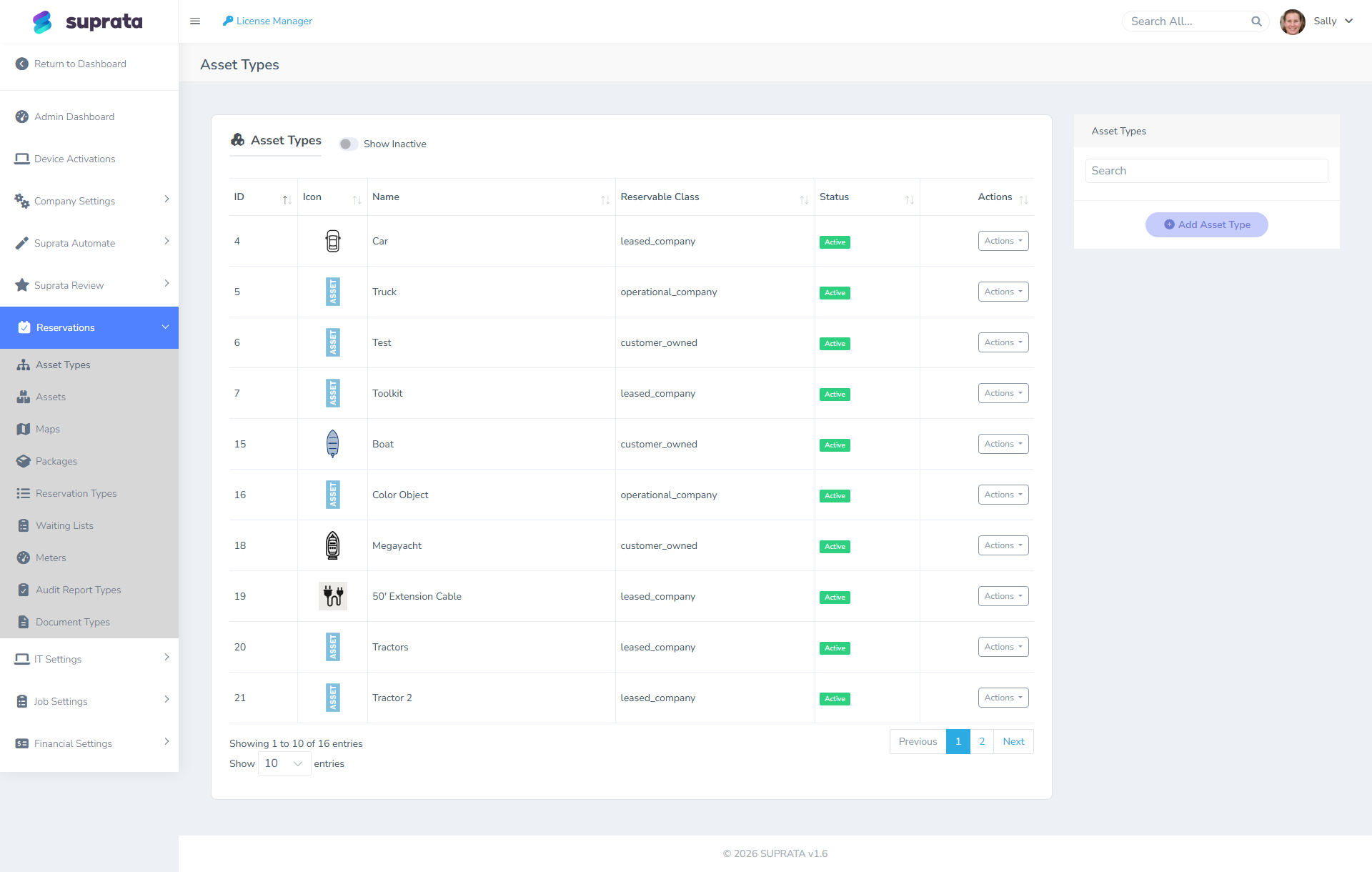
Design principles — what makes a good asset type
This is the most-skipped, most-painful-to-fix-later step in the Reservations setup. Spend an hour thinking about it before you start clicking.
Group by what differs in price or rules, not by what looks similar
The right test for "should these be one type or two?" is: do they price differently, or do they carry different rules? If the answer is no, they're the same type even if they look different on the property.
- Slip 32-foot wet and Slip 36-foot wet at the same dock, same dollar-per-foot rate, same insurance requirement — one type ("Wet Slip"), with the per-asset length field driving the actual rate.
- 30-amp pull-through and 50-amp pull-through at $40 vs. $55 a night, different hookup behavior — two types.
- Cabin A (sleeps 4) and Cabin B (sleeps 6) at $120 vs. $150 — borderline. If pricing is the only difference, one type with a per-asset rate is cleaner. If they also differ in amenities (one has a fireplace, one doesn't), two types makes the booking flow clearer for customers.
Don't make every asset its own type
A common mistake. If you have 40 slips and create 40 asset types, you've defeated the purpose of the system. Types exist to share defaults across many assets. As a rule of thumb: aim for 3–10 types covering all your inventory. More than 15 is almost always wrong.
Name types from the customer's vocabulary
Your customers don't know your internal naming. They look at "Premium Riverside Site (50A FHU)" and know what they're getting. They look at "Type B-2" and don't. Names appear on customer-facing booking screens, so write them like marketing copy without lying.
Good names:
- "30-amp Back-in (Water + Electric)"
- "Wet Slip — Up to 40ft"
- "Storage Unit 10x10 — Climate Controlled"
- "Premium Cabin (Sleeps 6, Lakefront)"
Bad names:
- "Type 1"
- "Slip-W-A"
- "Generic Site"
Carry defaults at the type, override at the asset
The whole point is that asset types push defaults down to individual assets. Common defaults to set at the type:
- Base rate (nightly, weekly, monthly — whichever cadence is dominant for that type).
- Default deposit (a flat amount, or a number of nights' worth).
- Required documents — e.g., proof of vessel insurance and current registration for wet slips, no documents for tent sites. (See Required documents per asset type.)
- Default late-fee rule — which configured late-fee policy applies to bookings of this type.
- Whether utility metering applies — most monthly RV sites need electric metering; transient sites usually don't.
When an individual asset deviates (a corner site that prices a little higher because of the view), set the override on that one asset. The type's default still serves the other 39.
A typical setup walkthrough
Open the asset types catalog in the Reservations area. For each type:
- Name it from the customer's vocabulary. Be specific enough that someone reading the booking screen knows what they're getting.
- Pick the right billing cadence — nightly for transient parks, monthly for storage and long-stay marinas, hourly for boat-rental fleets.
- Set the base rate. Use real numbers. If you're not sure, look at what you charged most customers last season and put that. You can adjust per-asset and per-reservation later.
- Set the default deposit. Most marinas use one month's rent for monthly tenants and the first night for transients. Most storage facilities require none. Pick what matches your actual policy today; "none" is a valid answer if you collect on arrival.
- Attach required-document types if this category has compliance needs (insurance certificates, vessel registration, government ID).
- Pick a default late-fee policy if you charge them.
Save and move to the next type. Don't try to add assets yet — finish all your types first so you don't have to come back.
Recommended starting types by industry
If you're staring at a blank screen and don't know where to start:
Marina (small/medium):
- Wet Slip — Up to 30ft
- Wet Slip — 30 to 40ft
- Wet Slip — 40 to 50ft
- Covered Slip — Up to 40ft
- Mooring Ball
- Dry Storage Rack
RV park / campground:
- 30-amp Back-in (W+E)
- 50-amp Pull-through (FHU)
- Premium Site (50-amp FHU + Sewer)
- Tent Site (no hookups)
- Cabin (Sleeps 4)
Storage:
- Unit 5x5
- Unit 5x10
- Unit 10x10
- Unit 10x20
- Climate Unit 10x10
These are starting points. Add or remove based on what you actually rent.
Common mistakes
- One type per asset. Defeats the purpose of types entirely. Group like assets together — don't make every site or slip its own type.
- Naming types after internal abbreviations. "WS-A" means nothing to a customer. The names appear on booking screens.
- Setting per-night rates on long-stay-dominant types. If 90% of your storage units rent month-to-month, your default cadence and rate should be monthly. Per-night pricing on a monthly-dominated type creates math errors at billing time.
- Forgetting to set required documents up front. It's much easier to require an insurance cert from day one than to retrofit the requirement onto 200 existing reservations later.
- Creating types you "might" use. If you don't currently rent kayaks, don't create a "Kayak" asset type as a placeholder. Empty types clutter the booking wizard. Add it the day you actually buy the first kayak.
- Treating asset types as immutable. They're not. You can rename, re-rate, and reassign defaults later. Just don't change them so often that staff stop trusting them.