Building a Package
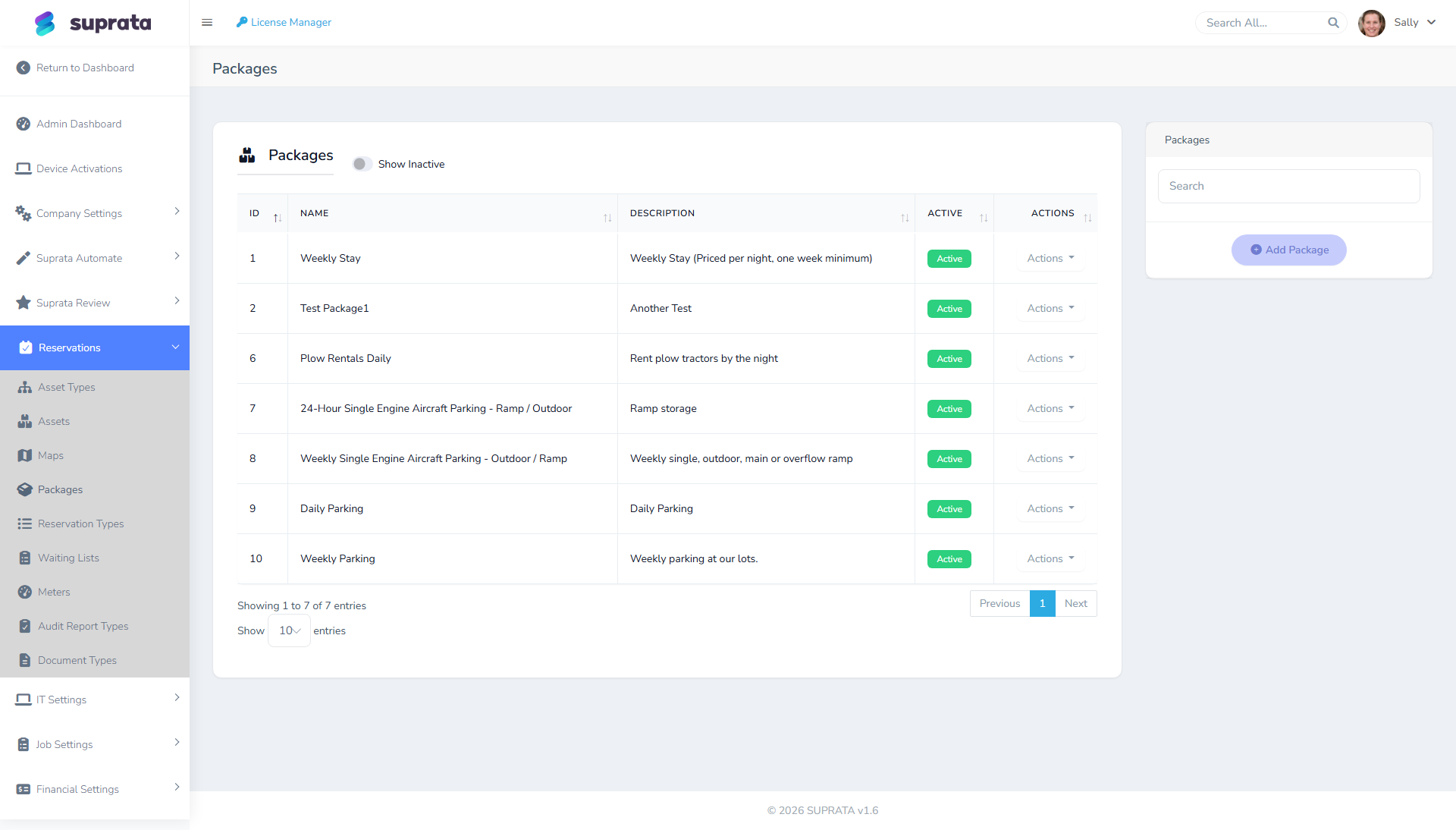
A package is a pre-configured booking shape. Instead of staff selecting an asset, picking dates, adding power, water, and Wi-Fi, and totaling everything by hand, they pick one item — "Holiday Weekend 3-Night Premium" — and the wizard fills in the rest.
Packages are a productivity multiplier when you have repeating booking shapes. They're a source of confusion when applied to one-off bookings. The judgment call is knowing which is which.
When you'd use this
Build a package when the same combination of asset class + duration + add-ons sells repeatedly and you'd rather not re-key it every time. Concrete examples:
- "3-Night Premium Weekend" for an RV park: Friday–Monday on a 50-amp full-hookup site, with firewood and a welcome basket included.
- "Holiday Week Slip Special" at a marina: 7 nights on any 30–40ft wet slip, with one pumpout included.
- "First-Month Storage" at a self-storage facility: $1 first month, then standard rate, with a free lock.
- "Monthly Boat Storage Plus": dry-stack rack for a month with two free launches included.
- "Day-Use Pavilion + Boat Rental" combos at recreational parks.
The unifying thread: the same shape, over and over. If you'd write the same combination on a sticky note 20 times this season, it's a package candidate.
When packages confuse rather than help
Skip packages for these:
- One-off custom bookings. A long-time customer asks for a non-standard arrangement. Just book it manually; don't build a single-use package for them.
- Pricing that varies wildly by date. If your "weekend special" is $200 in May and $400 in July, you'll either need separate packages per season (clutter) or a base package with manual price overrides (defeats the point).
- Bookings where the asset varies per customer. Packages bind to an asset type or a specific asset. If different customers want this package on whichever slip is open, ensure the package binds to the type, not a single asset — otherwise you're hand-changing it on every booking.
- Add-ons that are usually declined. If half your customers say "no thanks" to the firewood bundle, don't build it into the default package. Make firewood a standalone add-on that staff offer at booking time.
How packages fit together
A package has three layers:
- The package itself — a name, a price, and a default duration (e.g., 3 nights, 1 week, 1 month).
- Items — what's included that affects asset selection. Usually this is "one asset of type X." Some packages bundle multiple assets (rare but useful — e.g., "two adjacent campsites for a family").
- Add-ons — extras that appear as line items on the final invoice. Power, water, firewood, late-checkout fees, pet fees, cleaning fees. Add-ons can be required (always added) or optional (offered to the customer).
Every item and add-on also carries a "Count toward deposit" checkbox. When a reservation type takes a percentage- or duration-based deposit, only the checked lines feed the deposit calculation — so a deposit based on "two months of the slip charge" can leave out the electric service and the welcome basket. By default the recurring stay charges are counted and one-time fees aren't; flip the checkbox if your situation differs. (See Handling deposits.)
When a customer books a package, the wizard:
- Looks for an available asset of the package's required type across the booked dates.
- Adds all required add-ons to the booking.
- Offers optional add-ons for selection.
- Totals everything against the package price (which may be a bundle discount vs. à la carte).
Building a package — the typical flow
- Decide the shape. Write down on paper: name, length of stay, asset type, list of inclusions, package price, optional add-ons. Don't open the package builder until you have this on paper, because the builder will ask you all of it.
- Open the package builder in the Reservations setup area.
- Set the basics. Name (customer-facing), description, default duration, and price. Use real numbers; if you don't know the price yet, you don't know the package yet.
- Bind to one or more asset types — usually one. The booking wizard will only let customers buy this package on assets of the listed types.
- Add required items. The most common pattern is one item: "1 asset of type X for the package duration."
- Add required add-ons. Things that are always included. Each add-on has its own price (which may be $0 if it's a freebie, or carry a real charge that's part of the package total).
- Add optional add-ons. Things customers can choose to add at booking time. Common: pet fee, late-checkout fee, extra-vehicle fee, premium-site upgrade.
- Test it. Book the package as a fake customer. Confirm the price totals match what you expected. Watch for math errors with taxes — package pricing and per-line tax interact in non-obvious ways.
Color and map icon
Two small fields on the package — Package Color and Map Icon — control how the package shows up on the property map and timeline. They're easy to skip, but worth thirty seconds because they're what your staff actually read at a glance.
The map icon is a short glyph — a single letter is ideal, two at most ("W" for Weekly, "MY" for Megayacht). On the map viewer, each booked space shows that letter in a small square tinted with the package color, instead of the full package name. We changed this on purpose: the old full-name tag was simultaneously too long to fit and too truncated to read ("Holiday Weeke…"). A one-letter badge in a consistent color is legible at any zoom; the full package name is still there on mouse-over.
Leave the icon blank and the map falls back to the first letter of the package name — so "Weekly Stay" shows "W" with no effort. Set it explicitly when two packages start with the same letter (give "Monthly" an "M" and "Megayacht" a "MY" so they don't both read "M"), or when the first letter isn't the one staff think of.
This icon shows up wherever a reservation on this package appears on the map — so a booked slip displays the package's letter and color. (Labeling empty slips is a separate setting — each map slot has its own icon you assign in the map editor; see Uploading and configuring your property map.)
Recommended defaults
A few patterns work for most operators:
- Don't build more than ~5 packages to start. A bloated package list overwhelms front-desk staff. They forget which package to use, default to the wrong one, and pricing becomes inconsistent. Start with the 2–3 most-common booking shapes; add more only when staff are asking for them.
- Name packages by what the customer experiences, not by SKU code. "3-Night Family Weekend (Premium Site)" beats "PKG-301."
- Price packages at a small discount to à la carte. A 3-night Premium Weekend at $375 reads better than $387.50 (3 nights × $125 + $12.50 firewood). The whole point of bundles is the round number.
- Use packages as a marketing tool, not as a data-entry shortcut. The best packages become things you advertise: "ask about our holiday weekend special." If a package isn't market-worthy, just train your staff to add the right add-ons manually.
Common mistakes
- Building one package per season. "Spring Premium," "Summer Premium," "Fall Premium" — three packages for what's really one configurable thing. Use one package and let the booking wizard apply seasonal pricing if your system supports that, or use manual price overrides at booking time.
- Binding packages to specific assets instead of types. Then the package only works on Slip A-12, not on any 30–40ft wet slip. Customers who book "the package" but want any open slip can't use it.
- Including add-ons most customers don't want. Inflates the package price and confuses customers who didn't ask for the firewood. Keep package contents lean; offer extras as optional.
- Forgetting tax handling. Depending on how your tax categories are set up, the package price your customer sees may or may not include tax. Walk through the math on the first real booking and confirm the totals look the way you intended.
- Treating packages as immutable. It's fine to retire a package that isn't selling. It's also fine to rename one. Don't accumulate dead packages out of fear of breaking historical reservations — historical reservations keep their original line items even if the package is later retired.