Jobs vs. Appointments vs. Reservations
Three different things in Suprata can land on a calendar:
- A job — a piece of work that needs doing.
- An appointment — a scheduled time slot for someone to do something.
- A reservation — a customer's booking of a physical asset over a date range.
They overlap in confusing ways. A job can have appointments. A reservation might require maintenance jobs. An appointment might exist without a job. New users default to using one term for everything ("the customer's appointment" when they mean reservation, or "the job" when they mean appointment), which is fine in conversation but creates real problems when you try to build reports, route techs, or hand off work between departments.
This article spells out which is which and when each fits.
Quick definitions
- Job (or work order): a discrete unit of work for a customer — "replace the compressor", "haul-out and bottom paint", "set up the new server". Jobs have a status, an assigned tech (or team), line items that become invoice items, time entries, attachments, and any number of appointments tied to them.
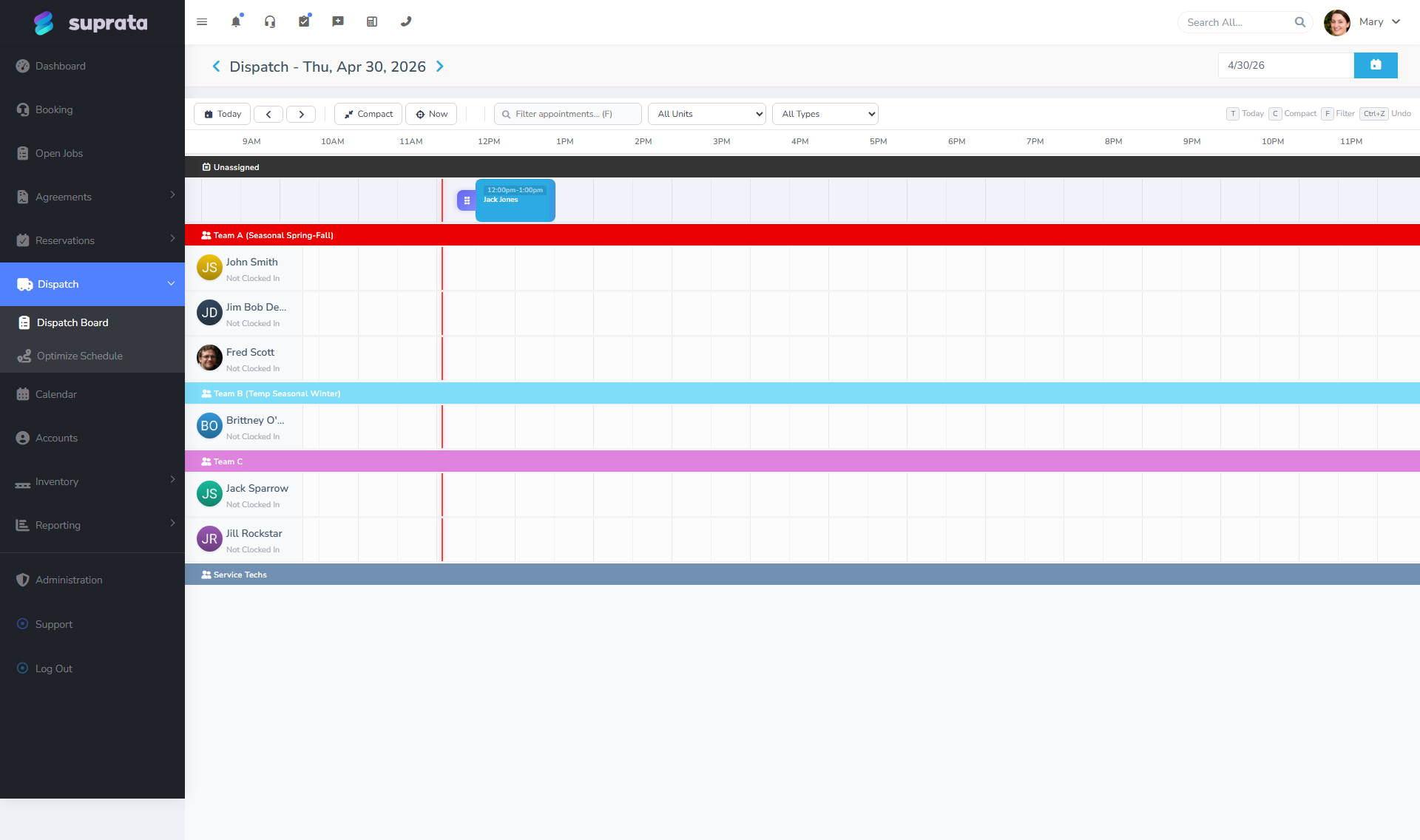
- Appointment: a scheduled span of time on a calendar. Has a start and end (or all-day), an assigned user (or users), a status, and optionally a job it's tied to. Appointments can also stand alone (e.g., "Sales call with prospect at 2pm" — no job exists yet).
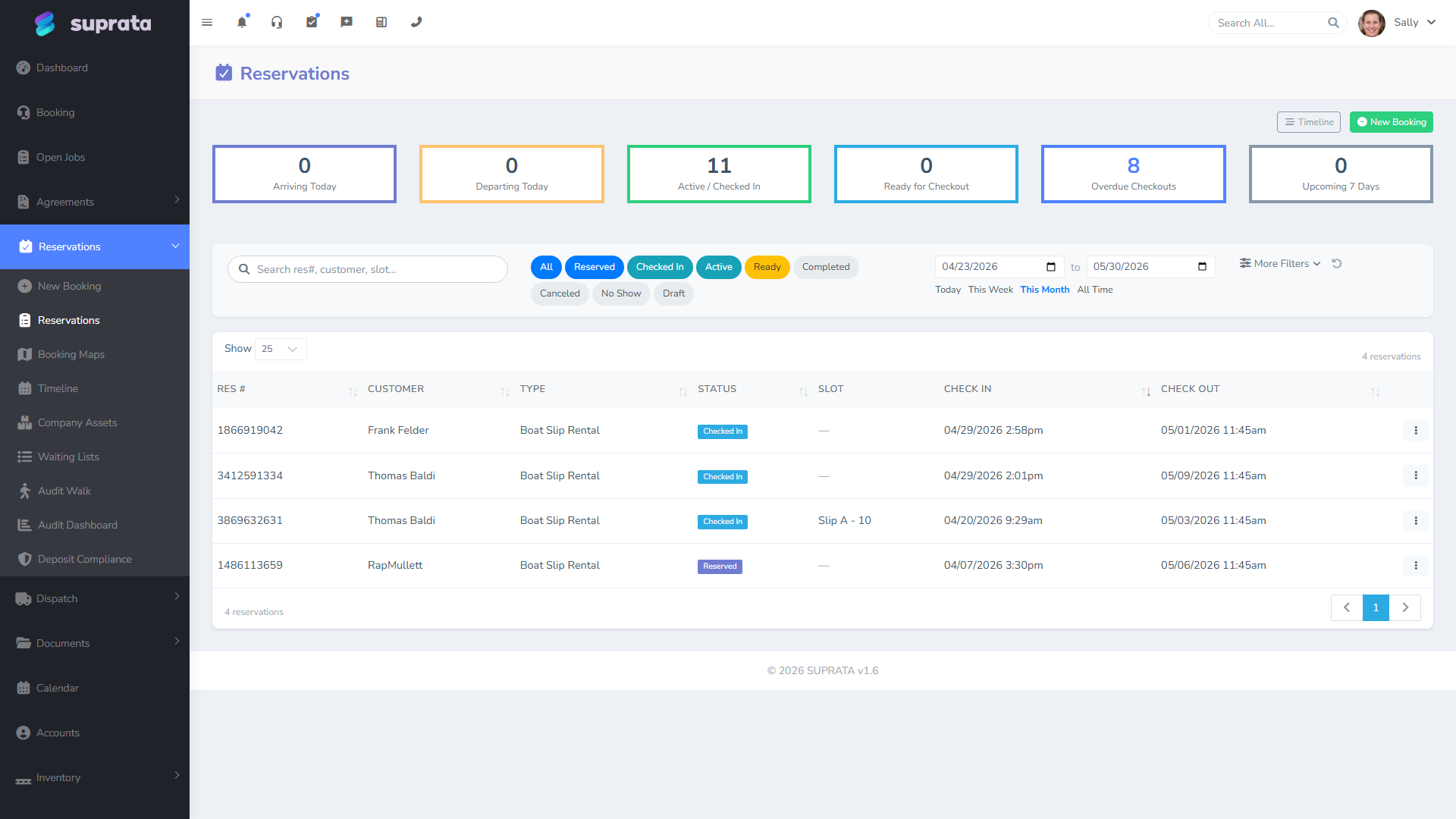
- Reservation: a customer booking one or more bookable assets (a slip, a campsite, a cabin, a piece of rental equipment) for a date range. Reservations are governed by availability, package pricing, and (often) a long-stay billing schedule. They're a fundamentally different model from job-based work.
How they relate
A job contains the work. The work takes time, which is what an appointment models. A reservation, by contrast, is the customer holding something physical over a span — they have the slip, they have the cabin, regardless of whether your crew is doing anything for them today.
Visually:
Customer ─┬─ Job ─── Appointment(s) ─── Calendar
          │
          └─ Reservation ─── Asset (slip/site/etc.) ─── Timeline
Both endings show up on calendars, but the calendar surfaces are different: jobs and appointments live on the dispatch and tech calendars; reservations live on the asset timeline and property map.
When you'd use each
Use a job when
- A piece of work needs doing for a customer. End of story.
- You want to track what was done, by whom, with what materials, billed how.
- The work has a definable start and end. Even if "end" is "indeterminate, ongoing investigation" — it'll close eventually.
- Multiple visits might be required (job stays open across appointments).
Every billable thing your crew physically does is a job. Service calls, installations, estimates that turn into work, warranty claims — all jobs.
Use an appointment when
- You need to put something on a tech's calendar at a specific time.
- The thing being scheduled may or may not be a job (sales meetings, internal training, a phone consultation, pickup/delivery).
- A job exists and you're scheduling when the work happens.
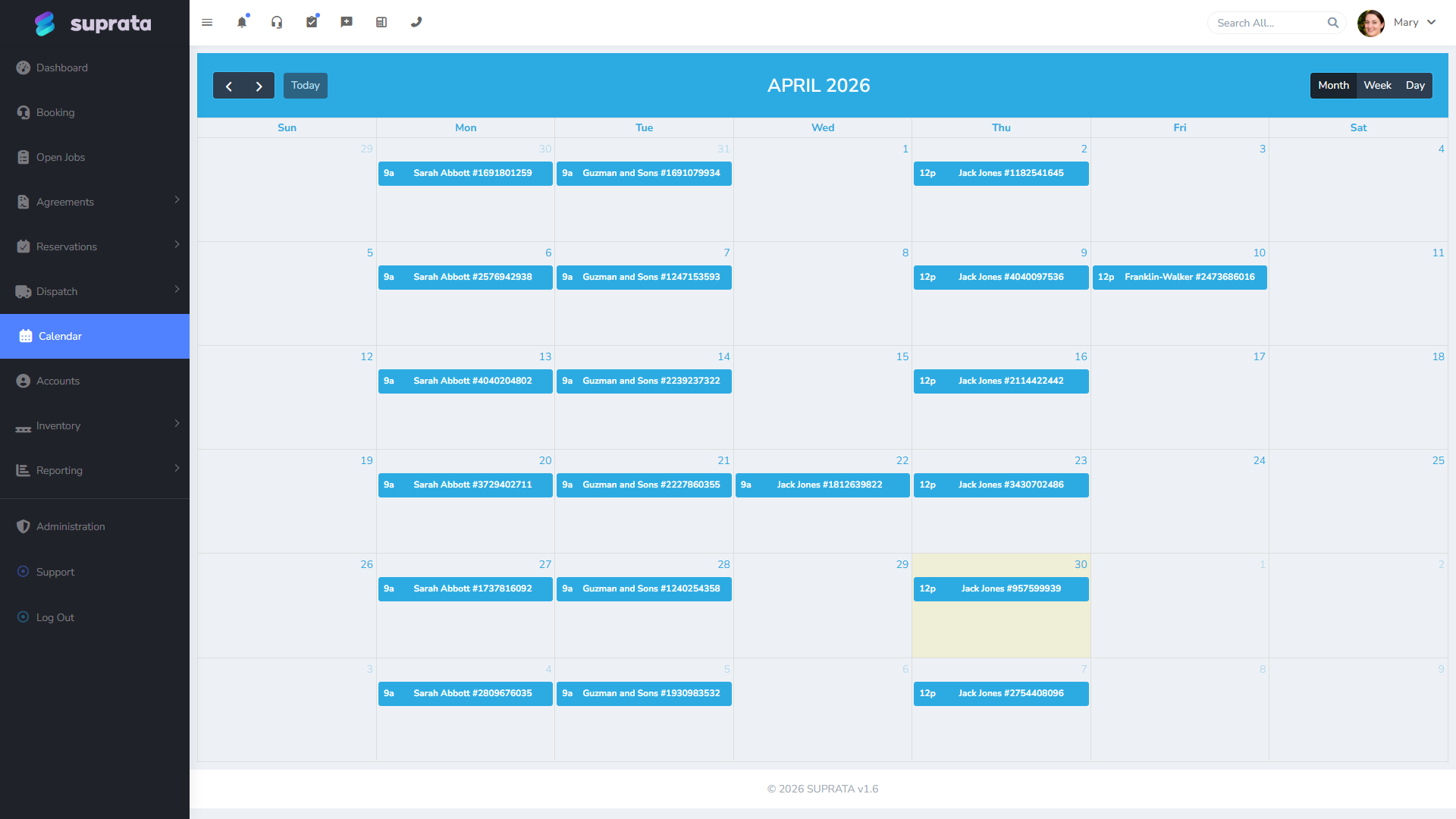
Most appointments are linked to a job — they're how a job gets scheduled. But not all of them. The "Marketing meeting at 10am" your dispatcher needs to block off doesn't need a job behind it.
A single job can have many appointments. Example: "Generator install" job → first appointment is the site survey, second is the rough-in, third is the gas hookup, fourth is the commissioning. Same job, four appointments, possibly different techs.
Use a reservation when
- A customer is booking a physical asset for a date range — slip, campsite, RV space, mooring ball, rented equipment.
- Availability matters: you can't double-book the asset.
- The customer expects to occupy the asset for the duration, even if your crew never visits during that time.
- Pricing follows package rules (per-night, weekly, monthly, seasonal) and may include add-ons (electric, water, pump-out).
Reservations are NOT for "scheduling a service visit at a customer's house." That's a job + appointment. Reservations are for when the customer comes to your property and stays in something you control.
Where the overlaps actually happen
A reservation that needs maintenance jobs
A boat is in your slip for the season and the customer asks you to replace the bilge pump. The slip rental is a reservation. The bilge pump replacement is a job (with possibly an appointment for when the tech does the work). The job's account is the same customer; you can link the job to the reservation if your install does that, but they're tracked separately because they bill separately and report separately.
A long job with many visits
You're installing a new HVAC system. Day 1: condenser placement. Day 2: line set. Day 3: indoor unit. Day 4: commissioning. One job, four appointments. The job stays "in progress" the whole week; each appointment closes as you complete that day's work.
A standalone appointment
A prospect wants a 30-minute Zoom consultation. There's no job yet — they haven't agreed to work. You schedule a calendar appointment with no job linkage. If the consultation results in work, then you create a job and possibly more appointments tied to it.
A job with no appointments
A repair-on-the-bench job at your shop. Customer drops off, you do the work whenever, customer picks up. No specific time slot, no calendar entry — just an open job that closes when the work is done. Common in IT shops and small-engine repair.
A reservation that produces job-like work for staff
A campground cleaning a site between tenants doesn't typically create a job in the system — it's tracked through the audit walk routine instead. But if a major repair is needed (broken pedestal, water leak), that becomes an internal job tied to the asset, separate from the reservation.
The data trail differs
Each one has a different "report shape":
- Jobs report on labor, parts, margin, technician productivity, recall rates, on-time completion.
- Appointments report on schedule density, no-shows, on-time arrival, calendar utilization.
- Reservations report on occupancy, revenue per asset, average length of stay, asset utilization, package mix.
When someone asks "how many [things] did we do last quarter?", the answer depends on which of the three they actually mean. A campground that did 200 reservations last quarter probably also had 30 jobs (maintenance, capital improvements) and 250+ appointments (the work behind those jobs and routine staff schedules). They're not interchangeable numbers.
Common mistakes
Modeling a service visit as a reservation. It's not — there's no asset on your property being held. The customer is at their location, your tech is visiting. That's a job + appointment. Reservations are for your property held by them.
Modeling a slip rental as a recurring job. A slip rental is a reservation. Recurring jobs would create endless appointments and never reflect the customer's actual occupancy of the slip.
Confusing job status with appointment status. A job is "in progress" until the work is done. An appointment is "complete" once the time slot has passed. They tick on different schedules. If a tech finishes early, the appointment gets marked complete but the job might still need office paperwork before it closes.
Trying to create an appointment before the job exists. You can — appointments don't strictly require jobs — but if the appointment is for service work, create the job first and build the appointment from it. That way the linkage is right and dispatch can see the work scope.
Booking a reservation without setting up the asset first. The reservations system requires assets to exist before they can be booked. Set up the asset types and assets in the configuration step before you try to take your first reservation. (The setup wizard walks you through this.)
Using calendar appointments for service-agreement schedules. Service agreements generate their own appointments automatically on whatever cadence the agreement defines. Don't manually create them — let the agreement do it, then drag them around if you need to reschedule.