Setting up ACH and when to prefer it
ACH (Automated Clearing House — direct bank-to-bank transfer in the US) is dramatically cheaper than card processing for any meaningful invoice size, but it comes with tradeoffs: slower settlement, different failure modes, and a different customer-experience flow. For B2B and large-ticket residential payments, those tradeoffs are usually worth it. For under-$50 service calls, they aren't.
This article covers when to prefer ACH over cards, how it gets enabled, and the settlement and failure behaviors that determine when ACH actually saves you money.
When you'd use this
- Invoices over a few hundred dollars where the 2.9% card fee is a real number ($1,000 invoice → $29 card fee vs. ~$5 ACH fee).
- B2B customers who normally pay by check; ACH is "check-equivalent" for them with better processing.
- Recurring high-value billing — monthly retainers, quarterly maintenance fees, annual subscriptions.
- Customers who routinely max card limits on their corporate cards and prefer to draw from a bank account.
- Industries where check is still the norm (construction, manufacturing, professional services) — ACH is a faster, lower-fee version of the same flow customers already understand.
When you should NOT push ACH
- Under-$50 invoices. The settlement delay and customer friction outweigh the few cents saved over card.
- One-time customers who won't be back. ACH wants you to capture and verify a bank account; for a single $80 service call, just take the card and move on.
- Anything urgent. ACH settles in 3–5 business days. If you need the money on Tuesday, take the card on Monday.
- Customers with thin float. ACH fails (insufficient funds, account closed) silently for days before you find out. If the customer's bank balance is unreliable, take the card — declines are immediate.
ACH vs. cards — the cost and time tradeoffs
| Card (Visa/MC/Amex) | ACH | |
|---|---|---|
| Stripe fee | 2.9% + 30¢ | 0.8% capped at $5.00 |
| Time to authorization | Instant | 1–2 business days to verify |
| Time to settlement | 1–2 business days | 3–5 business days |
| Failure detection | Immediate (decline) | Days later (NSF return) |
| Reversal risk | Up to 60 days (chargeback) | Up to 60 days (NSF / unauth return) |
| International | Yes | US bank accounts only |
| Customer experience | Familiar, fast | Slower; needs routing + account number |
A worked example: a $2,000 invoice paid by card costs you $58.30 in fees. The same invoice paid by ACH costs you $5. That's $53 of margin per invoice. On a $200/month recurring retainer, you save $635 a year on that one customer.
A second worked example: a $30 service call paid by card costs you $1.17. The same call paid by ACH costs you ~$0.24 (well under the $5 cap). You saved 93 cents and added three days to your cash flow. Not worth it.
Enabling ACH on your processor
ACH lives on your payment processor (Stripe or USIO), not as a separate Suprata feature. The path is roughly:
- Have a connected processor. Connecting Stripe covers the basic enrollment.
- Enable ACH on the processor side. In your Stripe Dashboard, turn on US bank account payments under the payment methods area. Stripe asks a few risk-related questions (your typical transaction size, expected ACH volume) and usually approves within minutes to a day. USIO has a similar enable-flow on their side.
The Stripe enrollment screen in Suprata describes what gets unlocked once a processor is connected:
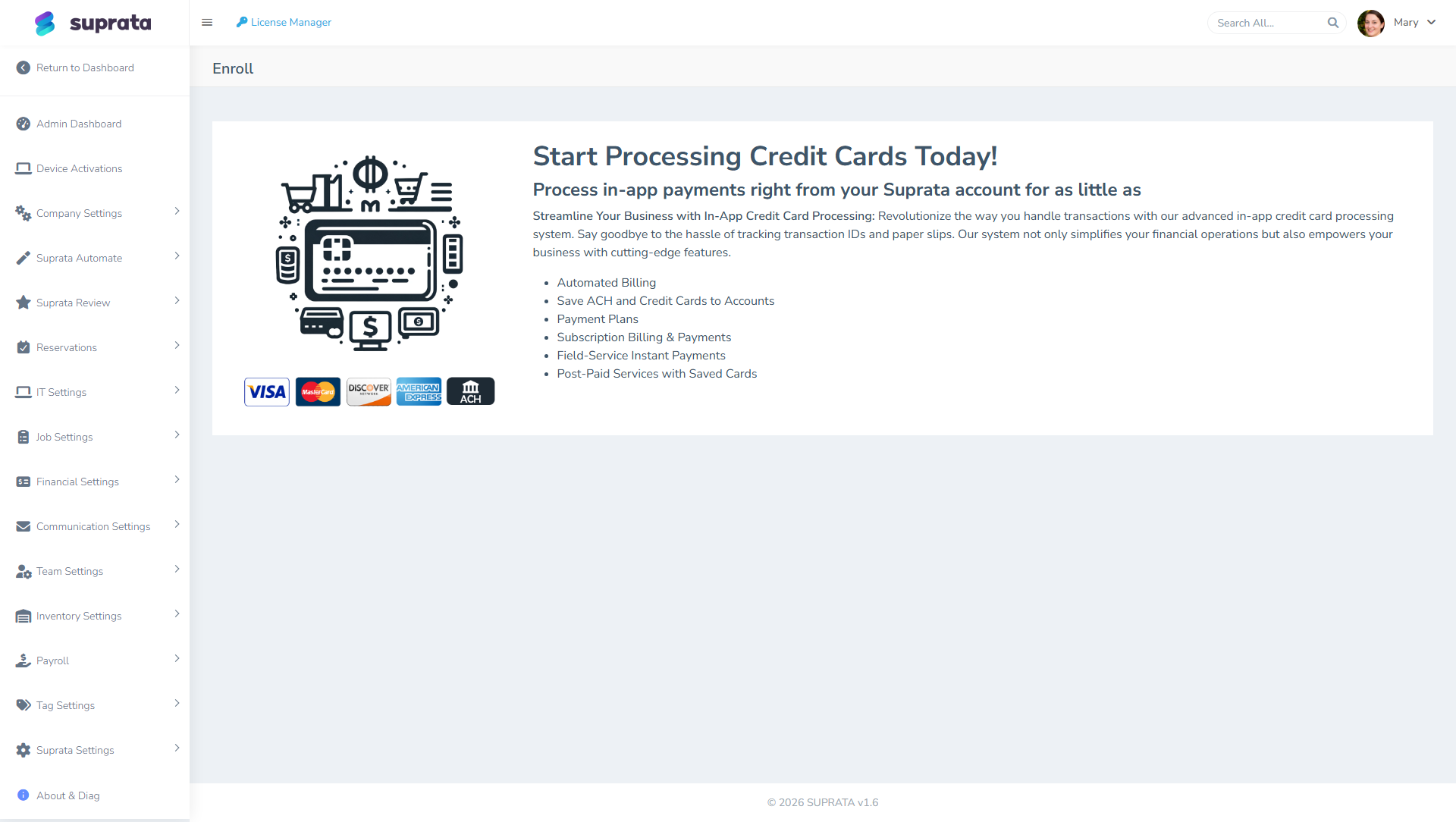
- Configure Suprata's payment-method preferences. Once ACH is active on the processor, Suprata can offer it as a payment option on customer-facing invoice payment pages. The setting that controls which methods are offered is in your payment configuration; flip ACH on.
- Verify with a test ACH charge before going live. See the testing section below.
How customers pay by ACH
When a customer clicks "Pay" on an invoice and chooses ACH, the flow is:
- Customer enters their bank routing number and account number.
- The processor verifies the account exists and is in good standing. This is sometimes instant (the customer logs into their bank from the payment screen to verify) and sometimes takes 1–2 business days (the processor sends two small test deposits and the customer confirms the amounts).
- Once verified, the charge is initiated. Funds debit from the customer's account.
- After 3–5 business days, the funds settle to your account.
The customer experience is: enter bank info, get a "we're processing" message, and wait. Nothing about that flow feels as fast as a card; that's the price of the lower fee.
Testing before going live
Like cards, ACH should be tested end-to-end before you let real customer money flow.
- Create a $5 test invoice.
- From the customer-facing invoice link, choose ACH.
- For Stripe in test mode, the test routing/account number is
110000000/000123456789. - Submit. Watch for the charge in your Stripe Dashboard's Payments view (it'll show as "pending" initially).
- Wait. ACH test charges still take simulated time to settle in test mode (often instantly, sometimes longer).
- Confirm settlement: invoice flips to Paid in Suprata, payment row appears, funds are visible in Stripe (you don't actually receive money in test mode — but the state should match).
The first time you take a real ACH charge in production, do it on a small invoice you can comfortably wait a week to settle. Don't enable ACH for the first time on a $50K invoice and then panic when the funds aren't visible Tuesday.
Failure modes — what to watch for
Card and ACH fail differently:
Cards
Cards fail at authorization, in seconds. The customer sees "decline" immediately, you see "decline" immediately, and they re-enter another card. Failure is loud and fast.
ACH
ACH "succeeds" optimistically — the charge is initiated and looks fine. Failures arrive days later as "returns":
- NSF (Non-Sufficient Funds) — the customer's account didn't have the money. Returns in 2–3 business days.
- Account closed — the account number is no longer valid. Returns within 1–2 business days.
- Unauthorized — the customer claims they didn't authorize the charge. Can return up to 60 days later.
When an ACH return happens, the funds are pulled back from your account. Suprata checks your processor for returns every six hours (or receives them by webhook, on Stripe), marks the payment Returned, takes the balance back off the invoice, reopens the invoice if it had been closed, and switches off the saved bank account if the return code means it's dead. You also get charged a return fee by the processor — typically $5 to $15 per return. So a returned ACH charge costs you the time it took to clear, the original ACH fee, and a return fee on top.
Automatic detection looks back 45 days, which covers NSF and closed-account returns comfortably but not an unauthorized return at day 55 — and it can't see a bounced check at all, since no processor is involved. For those, a manager records the return by hand. See When a payment bounces or lands on the wrong invoice.
The practical implication: don't deliver service or release goods on ACH alone for a customer you don't trust. Wait for the ACH to clear (5+ business days) before treating it as definitive payment. For high-value first-time transactions with new customers, consider taking a card hold for the amount in addition to ACH, releasing the card hold once the ACH clears.
Saved ACH methods
ACH bank accounts can be saved to a customer just like cards (see Saved payment methods). For a recurring B2B customer paying $500/month by ACH, this is a huge operational win — you save the bank account once, and every monthly recurring invoice charges automatically.
Two notes specific to saved ACH:
- Verification carries forward. Once the bank account is verified the first time, future charges don't need re-verification.
- Failure on a saved-method autocharge is more painful. If a saved-ACH autocharge fails 3 days after attempt, the customer's invoice is "Paid" in Suprata for those 3 days, then flips back to unpaid when the return arrives. Your reports and dashboards have to absorb that bouncing. Watch your aging report carefully when running ACH autocharges on saved methods.
Encouraging customers to choose ACH
If you want customers to prefer ACH, two levers:
- Make it visible. On the customer-facing invoice payment page, ACH should appear as a clearly-offered choice, not buried under "other payment methods".
- Surcharge cards (where legal). Some businesses pass card processing fees through as a surcharge ("4% surcharge on credit card payments"). This converts the cost difference into a customer-facing incentive. Surcharging has legal restrictions in some states and contractual restrictions with some card networks; consult Stripe's surcharging documentation and your local laws before enabling.
A softer alternative: when invoicing high-value B2B customers, the email body can explicitly mention "Pay by ACH for fastest processing and no surcharge" — nudging without forcing.
Common mistakes
- Treating ACH success as final on day one. It's not. ACH "success" is provisional for at least 5 business days. Don't release expensive goods or services until the funds clear.
- Not enabling ACH at all. If you handle any meaningful B2B volume, leaving ACH off costs you real money in card fees you didn't have to pay.
- Pushing ACH on small-ticket residential customers. They want to swipe a card and be done. Forcing ACH adds friction for no meaningful saving.
- Forgetting return fees in ROI math. A $200 invoice paid by ACH that returns NSF cost you $0.24 (failed ACH) + $15 (return fee) = a $15 loss before you even chase the customer.
- Writing routing and account numbers down in notes or spreadsheets. Don't. The processor stores them securely the right way; storing them yourself is a security risk and, for ACH, a compliance violation.
- Not having a process for ACH returns. They will happen. Suprata will reverse the payment and reopen the invoice for you, but it won't phone the customer. Decide in advance who watches for the notification, who follows up, and how soon. "We'll figure it out when it happens" means your first return sits unaddressed for two weeks.