GPS Route Optimization
A tech who drives 180 miles to do six service calls is paid for those miles, burns fuel for those miles, and isn't doing the work during those miles. Cut the drive to 120 miles by ordering the same six visits more sensibly and you've gained an hour of billable time, saved some gas, and your tech is less tired at the end of the day. Multiply by every tech, every day, and the difference between a routed schedule and an unrouted one is real money.
The route optimizer in Suprata clusters appointments geographically and reorders them within each tech's day to minimize drive time. This article covers how it works, when running it actually helps, what the suggestions look like, and where it falls short.
When you'd use this
- You have a multi-tech, multi-stop day and the schedule was built without thinking about geography.
- You added a few new appointments mid-day and your existing routes are no longer efficient.
- You're spotting one tech driving past another tech's territory and want to detect the inefficiency systematically.
- You're running a maintenance route (e.g., quarterly visits across a metro area) and want to plan the optimal sequence before customers are even contacted to confirm.
- You're at the end of a quarter looking at miles-per-job metrics and want to improve them.
When not to bother
- Single-tech, single-zone days where your tech knows the area cold. They'll route better than the algorithm because they know which streets are slow at which times.
- Days where customer-imposed time windows constrain everything ("must be done between 9 and 11"). The optimizer respects windows but if every appointment has one, there's not much room to optimize.
- Pre-scheduled commitments that cannot move (warranty installs with vendor coordination, multi-tech jobs that require both techs to arrive at the same time). The optimizer can technically reorder these, but the cost of reordering is usually higher than the savings.
The mental model
The optimizer takes your day's appointments — already assigned to techs and with rough scheduled times — and asks "given each appointment's location, time window, and duration, is there a better order to visit them in?"
It's not creating new appointments. It's not changing what work happens. It's reordering and possibly retiming appointments to reduce total drive time across the day.
Inputs it cares about:
- Each appointment's geocoded location. This is why having proper Service Locations matters (see Creating your first job). An ungeocoded appointment is invisible to the optimizer.
- Appointment duration estimates. A 30-minute job is a different routing constraint than a 4-hour job.
- Time windows. "Anytime between 8 AM and 12 PM" gives the optimizer flexibility; "exactly at 10 AM" gives it none.
- Which tech is assigned. The optimizer reorders within each tech's day; it doesn't (by default) reassign jobs from one tech to another.
- Starting and ending location. Most accounts assume each tech starts and ends from a known point (their home, the shop, a depot). This affects the first and last legs of the day.
What it produces:
- A suggested reorder of appointments per tech.
- Estimated drive time reduction (e.g., "this saves about 45 minutes").
- The new sequence of appointments, with revised time slots.
You can preview the suggestions, accept them in part or in whole, and apply.
When during the day to run it
There are three useful moments:
1. The night before, after dispatch is finalized. This is the highest-value run. Your day's appointments are mostly stable, you've assigned techs, and the optimizer can chew on the whole day. Apply, send confirmations with the new times, and tomorrow runs cleaner.
2. First thing in the morning, before techs roll. Same idea but slightly later. Useful if appointments shift overnight.
3. Mid-day, after a major change. A customer cancelled, three new emergencies came in, the day's geography is now messier than it was. A mid-day re-run can salvage the afternoon. Be careful with this one — running optimization at 10:30 AM when techs are already on the road can shuffle their afternoon in ways they're not expecting. Communicate the changes.
What you almost certainly shouldn't do is run optimization continuously throughout the day. Each run can re-time appointments, and each re-time potentially triggers reschedule notifications to customers. Customers don't want to be re-confirmed every two hours.
What the optimizer changes when you apply
Accepting a suggestion typically:
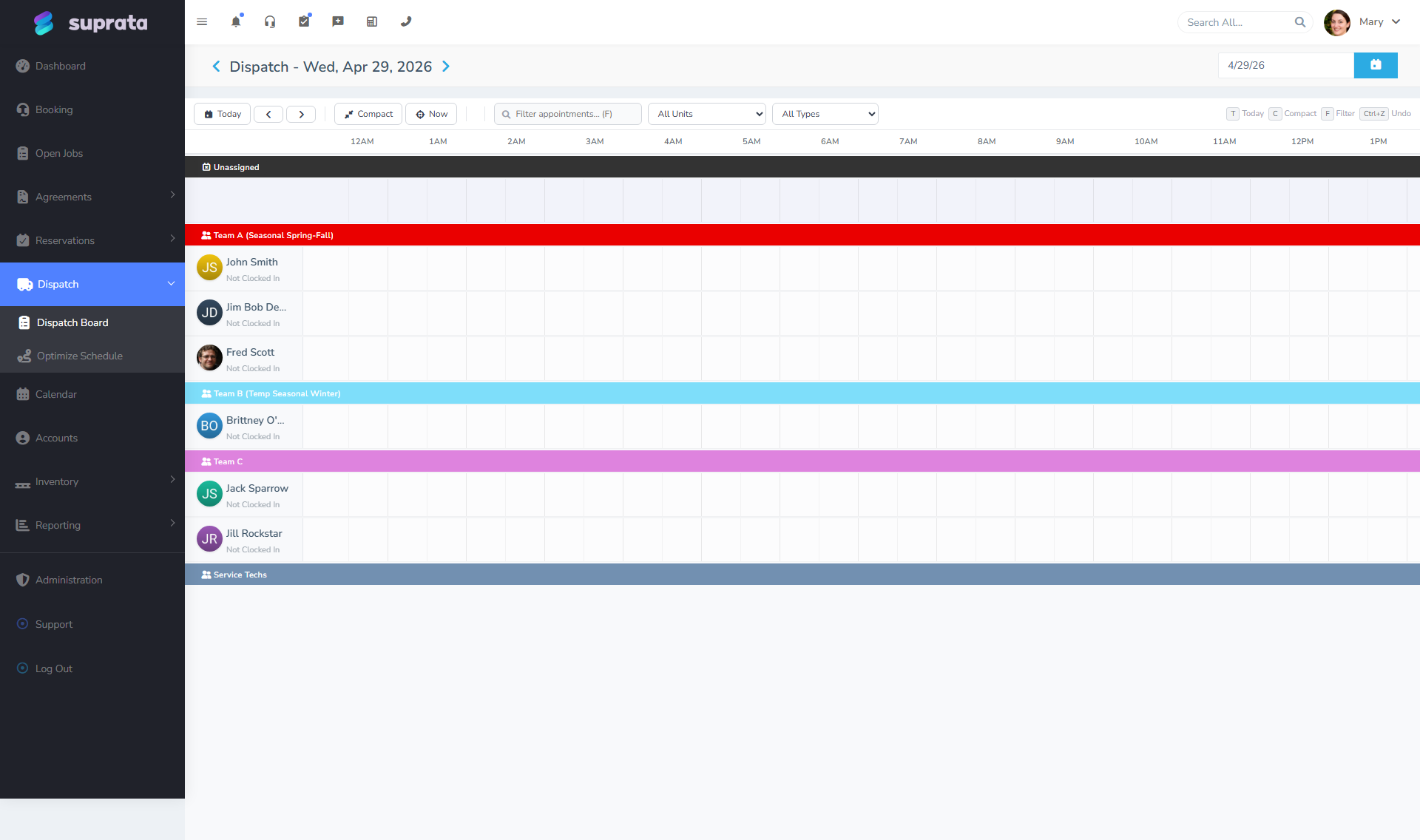
- Reorders the appointments on each tech's calendar/dispatch row.
- Adjusts start times within their existing windows (a 9-12 window might shift from 10 to 11 to fit a better sequence).
- May change the order of the assigned appointments visible to the customer if you're sending updated confirmations.
- Logs the change against each appointment's audit history (so you can see "this appointment moved from 10 AM to 11 AM via route optimization at 6:14 AM").
What it doesn't change:
- Which tech is assigned (unless you've enabled cross-tech reassignment, which most shops leave off).
- The work itself — duration, line items, customer.
- The day. Optimization is intra-day, not inter-day.
If you reject a suggestion or only apply some of it, the original schedule stays untouched.
Communication after applying
Re-confirming customers after optimization is a real cost. Two patterns work well:
Send a "your time has been updated" message if the new time is more than ~30 minutes off from the original. Anything less is in the noise of typical "we'll be there between 10 and 11" expectations.
Don't notify if the change is small (under 30 minutes) and the original confirmation said a window. The customer expected "morning"; they're still getting morning.
Tune these thresholds in your confirmation settings (see Appointment confirmations and reminders). Over-notifying erodes customer trust in the confirmation system; under-notifying leads to missed appointments.
Geocoding and addresses — the silent dependency
The optimizer can only work with addresses that have been turned into map coordinates ("geocoded"). Suprata geocodes Service Locations when they're created, and runs through older ones in the background. For most US addresses, geocoding is fast and accurate.
Where geocoding fails:
- New construction without a published address yet ("the new strip mall on Highway 27"). The optimizer can't place these.
- Rural addresses that resolve only to a road or a county. The optimizer might place these miles from the actual location.
- Customer-entered typos ("Main St" vs. "Main Street" — usually resolved, but not always).
- Locations outside the geocoder's coverage area. Rare in the US, common in some international setups.
If a tech reports "the optimizer keeps sending me to the wrong place", check the geocode of the underlying Service Location first. The fix is usually correcting the address, not retraining the optimizer.
Common mistakes
- Running it on a fully-time-windowed day and being disappointed. If every appointment has a tight window, the optimizer has no room to improve things. Loosen windows where you can — "morning" instead of "10 AM exactly" gives the optimizer leverage.
- Applying the suggestion and forgetting to re-confirm with customers whose times moved meaningfully. Now the customer is expecting 10 AM, the tech arrives at 11:30, and you've burned trust. Build the re-confirm step into your post-optimization habit.
- Running it continuously throughout the day. Each run re-times appointments. Customers feel rescheduled by an algorithm. Run it once or twice; commit; live with it.
- Treating the savings estimate as gospel. "This saves 45 minutes" is a model estimate; reality might be 30 or 50. Use the estimate to compare options, not as a number to budget against.
- Letting the optimizer override a tech's local knowledge. Carlos knows that the 4 PM route through downtown is a parking lot in summer. The optimizer doesn't. If a tech consistently rejects optimizer suggestions for a route, listen. The tech might be right.
- Forgetting to set start/end locations for techs. A tech who's set up to "start at the office and end at the office" has a fundamentally different route than one starting from home. If your optimizer's suggestions look weird, check the tech's start/end.
- Optimizing across days when you mean within a day. Cross-day optimization (moving an appointment from Tuesday to Wednesday because Wednesday's geographically smarter) is a different feature with different tradeoffs. Most accounts use intra-day optimization only; if you're doing cross-day, be intentional about it.
Where the optimizer earns the most
A few patterns where route optimization pays off the most:
- Multi-stop maintenance routes. Pest control, lawn care, vending — sequences of similar visits across a metro area. Optimization wins big.
- Mixed urban/suburban service days. Routing through a city is different from routing through subdivisions; the optimizer handles the mix.
- Multi-tech days with overlapping territories. When two techs are in the same metro, optimizer can ensure they're not both crossing the same areas inefficiently.
It pays off less when:
- One-stop installs that take all day.
- Tightly-windowed customers who all want morning slots.
- Single-tech, single-zone, "I know this area" days.
Related articles
- Scheduling and the dispatch board
- The calendar — day, week, month views
- Recurring appointments
- Appointment confirmations and reminders
- Creating your first job
- Setting up Service Locations (forthcoming)