Managing waitlist entries
Setting up the public waitlist is the easy part. The real work is going through entries every day, calling the right people in the right order, and turning sign-ups into actual bookings. A list that fills up but no one ever works is just clutter. A list someone touches every business day brings in real money.
This article covers the daily rhythm: what to look at, how to prioritize, what to say to customers, and how to turn an entry into a real reservation or job.
When you'd use this
- You've set up a list using Setting up the public waitlist and sign-ups are starting to come in.
- A reservation just cancelled and you want to fill the spot from the list instead of putting it back out publicly.
- You're starting a shift and want to handle whatever came in overnight.
- A specific date or asset opens up and you want to find the people on the list whose request matches.
How to think about the order
The list is in sign-up order — the person who signed up first appears first. But strictly going down the list rarely makes sense. Three things change who you actually call:
- What the customer asked for. A customer waiting for a 50-amp pull-through site shouldn't get offered a 30-amp tent site, even if they signed up first.
- Their flexibility. Someone who said "any weekend in July" is the right person to call when an unexpected weekend opens up.
- What you know about them. A repeat customer with a good payment history, or a customer whose group fits the spot, can reasonably jump ahead.
So the daily work is less "call the person at the top" and more "see what's available, find the best match on the list, reach out to them."
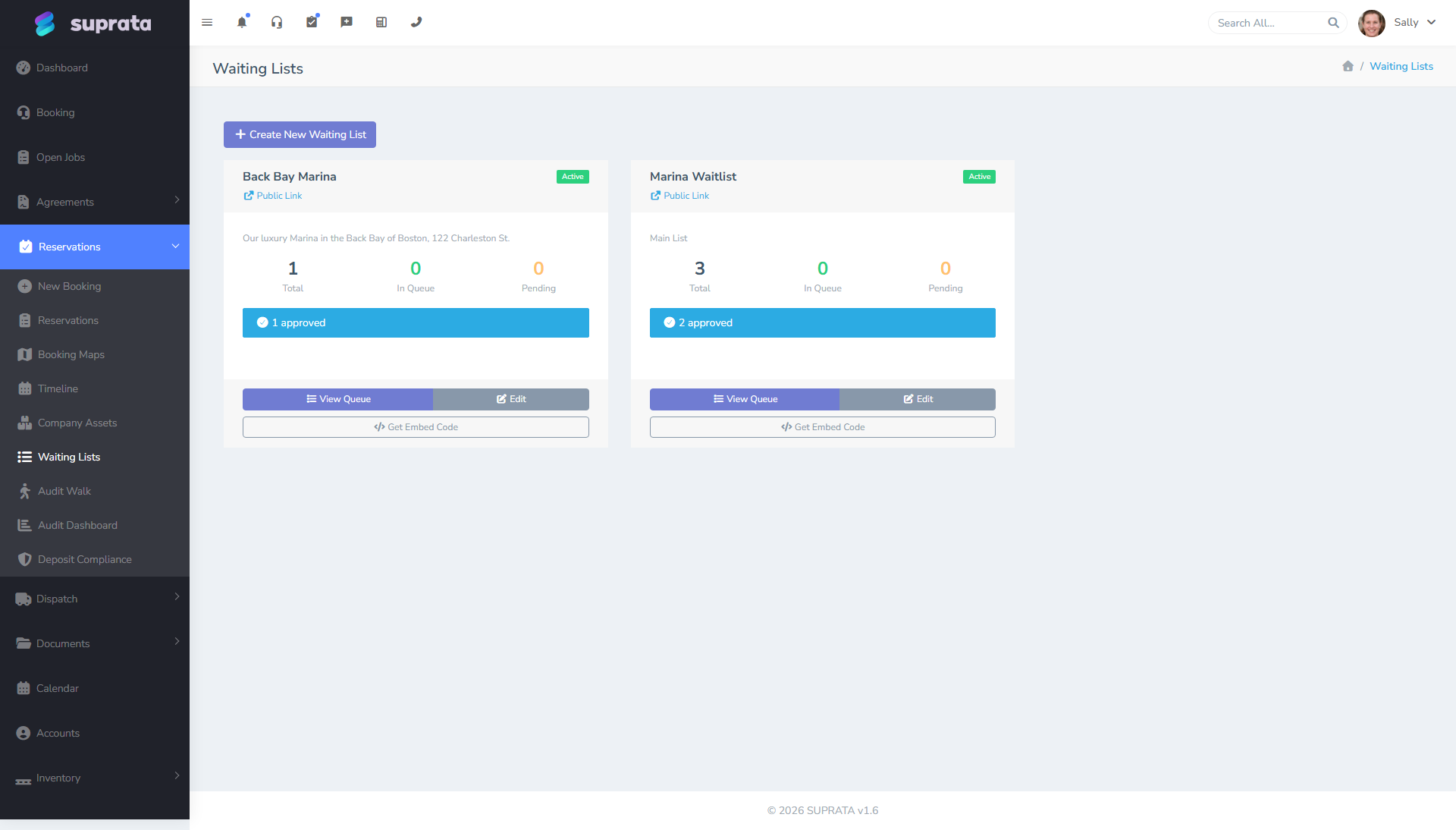
The daily rhythm
Start of day
Open the list and look for:
- New overnight sign-ups. Skim them. Clean out anything obviously wrong — junk email addresses, test entries, duplicates of someone who's already on the list.
- Overdue follow-ups. If you told someone "I'll get back to you tomorrow" three days ago, that entry is going stale. Reach out today.
- Entries whose date has already passed. If someone signed up hoping for May 5th and it's now May 6th, the entry isn't useful anymore. Either reach out to offer them something else or close them out.
This usually takes 5 to 10 minutes.
When something opens up
A reservation cancels, a slot frees up, a tech has a gap in their schedule. This is the moment your waitlist earns its keep.
- Filter the list down to entries that match what's available — the date, the type of asset, the service, whatever applies.
- Look at the top match — usually the person who's been on the list the longest and asked for what's now available.
- Reach out right away. Phone, text, or email — pick based on the customer and how soon the slot is. For something opening tomorrow, call. For three weeks out, email is fine.
- Give them a deadline to respond. "I'll hold this until 3pm today" or "It's yours if you confirm by Friday." Without a deadline, the slot sits while the customer takes their time.
- If they pass or don't reply by the deadline, move to the next match. Don't let the slot sit empty — just go to the next person on the list.
Weekly cleanup
Once a week, take a few minutes to clean up the list. Close out entries that are clearly stale, mark off the ones who already booked, and follow up with anyone who's been sitting too long without hearing from you.
Looking at an entry — what to check
Before you call someone or even when an entry first arrives, glance at:
- What they asked for. Specific dates, asset, service.
- Whether they marked themselves flexible. Did they check the "I'm flexible on dates" box?
- The notes field. Often the most useful thing on the entry — customers add context here ("anniversary trip", "first time camping", "we have two dogs").
- Whether they're a returning customer. If the entry matches an existing customer record, click through to see their history.
- Whether they confirmed their email. Unconfirmed sign-ups tend to be junk more often than not.
- How long they've been waiting. Some lists move quickly; some take weeks.
This is one of the nice things about the list living inside Suprata — it isn't just a form submission floating around. It's already attached to a customer record, so you can see whatever history you already have on the person before you call. In fact, every customer's profile now has a Waiting List tab that shows every list they're on, their preference, status, and live position — so when you're already looking at a customer, you can see where they stand in line without hunting through the queues.
Notes, decisions, and history on an entry
Open any entry and you get three tools for keeping track of what's happened and what you've decided.
Notes are a running log, not a single box. Type a note, click Add Note, and it's saved with your name and the date stamped on it. Add as many as you like over time — "Called 6/3, left voicemail," "Wants the corner site if it opens," "Confirmed flexible on dates." Each one stands on its own, so you (and the next person on shift) can see the whole conversation history instead of one box that gets overwritten every time someone edits it. If you ever added a note before this change, it's still there, shown as an earlier note.
Reject is the everyday "no," and it's reversible. When someone passes, doesn't qualify, or their date is gone, Reject the entry — that's the normal disposition and it's the prominent button in both the queue and the entry page. A rejected entry drops out of the active line but isn't gone: if you rejected the wrong person, or they call back, hit Undo Rejection and they snap back to exactly the status they had before. (Permanent delete still exists, but it's deliberately tucked away as a small link on the entry page — deleting is for genuine junk and test entries, not for everyday "this one's a no.")
Everything is logged in an audit trail. Each entry shows an Activity / Audit Trail with who did what and when — status changes, rejections and undos, approvals, notes added or removed. When a customer disputes "I was never contacted" or a teammate asks "who rejected this?", the answer is right there on the entry.
Reaching out — what to say
The "a spot is open for you" message needs to do three things at once: tell them what's available, tell them what to do next, and set a deadline. Keep it short.
SMS template
Hi {firstname}, this is {companyname}. We just had a slot open up that matches what you asked for: {summary}. Would you like to take it? I'll hold until {deadline}. Reply YES or call {phone}.
Email template
A bit more room to expand. Subject:
Slot available — {summary}
Body:
Hi {firstname},
Good news — we just had a {asset/service} open up for {dates}, which matches what you registered for.
If you'd like to take it, click here to confirm: {link}. I'll hold the slot for you until {deadline}.
If the timing or details no longer work, no problem — just reply and let me know whether to keep you on the list for the next opportunity.
Thanks,
{sender}
Phone
Call when the slot opens within 48 hours, or when the customer's notes suggest they prefer talking ("first time camping", "this is for my mother-in-law", anything that signals they want hand-holding). A phone call takes more of your time but works much better for last-minute openings.
Turning an entry into a real booking
Once the customer says yes, the entry moves from "waiting" to "booked" and you create the actual reservation, job, or appointment from it. The customer's contact info, dates, and notes carry over so you don't have to type them again.
A few things to do when you book the customer:
- Take the deposit now (if you require one). Not at sign-up, not at the call — at booking. That's when the customer is committing.
- Send the booking confirmation right away. Use whatever your standard confirmation email or text is.
- Mark the waitlist entry as booked so it drops off the active list but stays in the entry's history.
- Note in the customer's record that they came from the waitlist. Useful later when you're trying to understand where your bookings come from.
When the customer says no, or doesn't respond
Not every sign-up turns into a booking. That's fine.
- Customer says "no thanks, doesn't work for me." Reject the entry to clear it from the active line. Ask first whether they want to stay on for the next opportunity — if so, leave them be instead. And if you reject and they change their mind, Undo Rejection puts them right back.
- Customer doesn't respond by your deadline. Move on. Reject the entry. Don't keep texting — the deadline was the deal. (It's reversible if they resurface.)
- The customer's situation changed. They originally wanted a beach site, now they want a wooded site. Edit their existing entry instead of having them sign up again.
Numbers worth keeping an eye on
A few simple measurements tell you whether the list is working:
- What percentage of sign-ups become bookings. If it's below 20%, either you're calling people about the wrong kind of opening, or your sign-up form is letting too much junk through.
- How long it takes you to reach out. Time from sign-up to first contact. Under 48 hours is good. If you're over a week, you're probably losing customers to whoever else they called.
- How long people typically wait on the list. This tells you whether the list is the right size — too short means it's not really doing anything, too long means you've collected more interested customers than you'll ever be able to serve.
Common mistakes
- Letting the list grow without working it. A 200-entry waitlist nobody works is worse than no waitlist. Build a daily habit of opening it.
- Calling people in strict sign-up order when matching matters. If the person at the top of the list doesn't want what just opened up, but the sixth person on the list is a perfect fit, calling the first person wastes everyone's time. Match first, then break ties by who signed up first.
- Not giving the customer a deadline. Without "I'll hold this until 3pm," the customer takes three days to decide and you've already lost the slot to the next opening you could have filled.
- Going silent on people who signed up. A customer who joined the list and hasn't heard a thing in two weeks starts to wonder if you forgot. Even a quick "you're still on the list, currently around number 8" message keeps them engaged.
- Treating every sign-up as equal. Some are stronger than others — confirmed email, flexible on dates, returning customer. Skim before calling.
- Forgetting to mark booked entries as booked. They sit in the active list and other staff waste time on customers who already booked.
- Letting stale entries clutter the view. Close out entries whose date has passed. A clean list is faster to work.
A weekly check-in with yourself
Once a week, ask:
- Is the list the right size for what I can actually offer? If it's almost empty, it's not pulling its weight. If it's huge, you're collecting people you'll never get to.
- Are sign-ups becoming bookings more or less often than last month?
- Has anyone been waiting longer than they should? Why?
- Are the fields I'm asking for on the form actually helping me decide who to call? If a field never matters, drop it.
Related articles
- Setting up the public waitlist
- Embedding the waitlist on your website
- Customizing the appointment confirmation
- The booking wizard walkthrough