Vendors and vendor price books
The price list is what you charge customers. Vendors are who you buy from, and vendor price books are what they charge you. Treating these as the same thing — putting your wholesale costs in the same fields as customer-facing prices — collapses information you need separately. Keeping them distinct but linked lets you answer "what's my actual margin on this part?" and "if Acme raises their prices, what's the impact?" with real data instead of guesses.
This article covers when vendor price books matter, how to set them up, and how they relate to your sellable pricelist.
When you'd use vendor price books
- You buy from multiple vendors for the same or similar parts. Different vendors charge different prices for similar items.
- Vendor pricing changes regularly and you want to track it without re-keying it into your sellable catalog every time.
- You need real margin reports, not estimates based on stale costs.
- You purchase inventory that you stock and resell — vendor pricebooks are your buying-side counterpart to the warehouse stock.
- You use vendor catalogs (e.g., a wholesale distributor publishes their full SKU list with prices) and want to pull that into your system as a reference.
When they don't matter much
- You don't track inventory. If you charge for labor and materials but don't physically stock parts (you buy what each job needs and pass through cost), vendor pricebooks add overhead without much benefit. Track cost in the pricelist item directly.
- You only have one vendor for almost everything. Tracking a separate pricebook for your only vendor is more bookkeeping than it's worth — just put your cost on the pricelist item.
- Your business is service-only. Labor doesn't need a vendor.
The mental model
| Pricelist | Vendor Pricebook | |
|---|---|---|
| What | Items you sell | Items vendors sell to you |
| Who sees the price | Your customers | Just you |
| Field meaning | Price = customer charge | Price = your cost |
| Source | You set | Vendor sets |
| Where it shows | On invoices, estimates, jobs | On purchase orders, vendor lookup screens |
The two are linked: a sellable pricelist item can reference one or more vendor pricebook entries. Your cost on the item then comes from the linked vendor pricebook, and the margin is computed automatically. When the vendor raises prices, you update the pricebook and your margin reports reflect reality without you having to remember.
Setting up vendors
Before you can have vendor pricebooks, you need vendors:
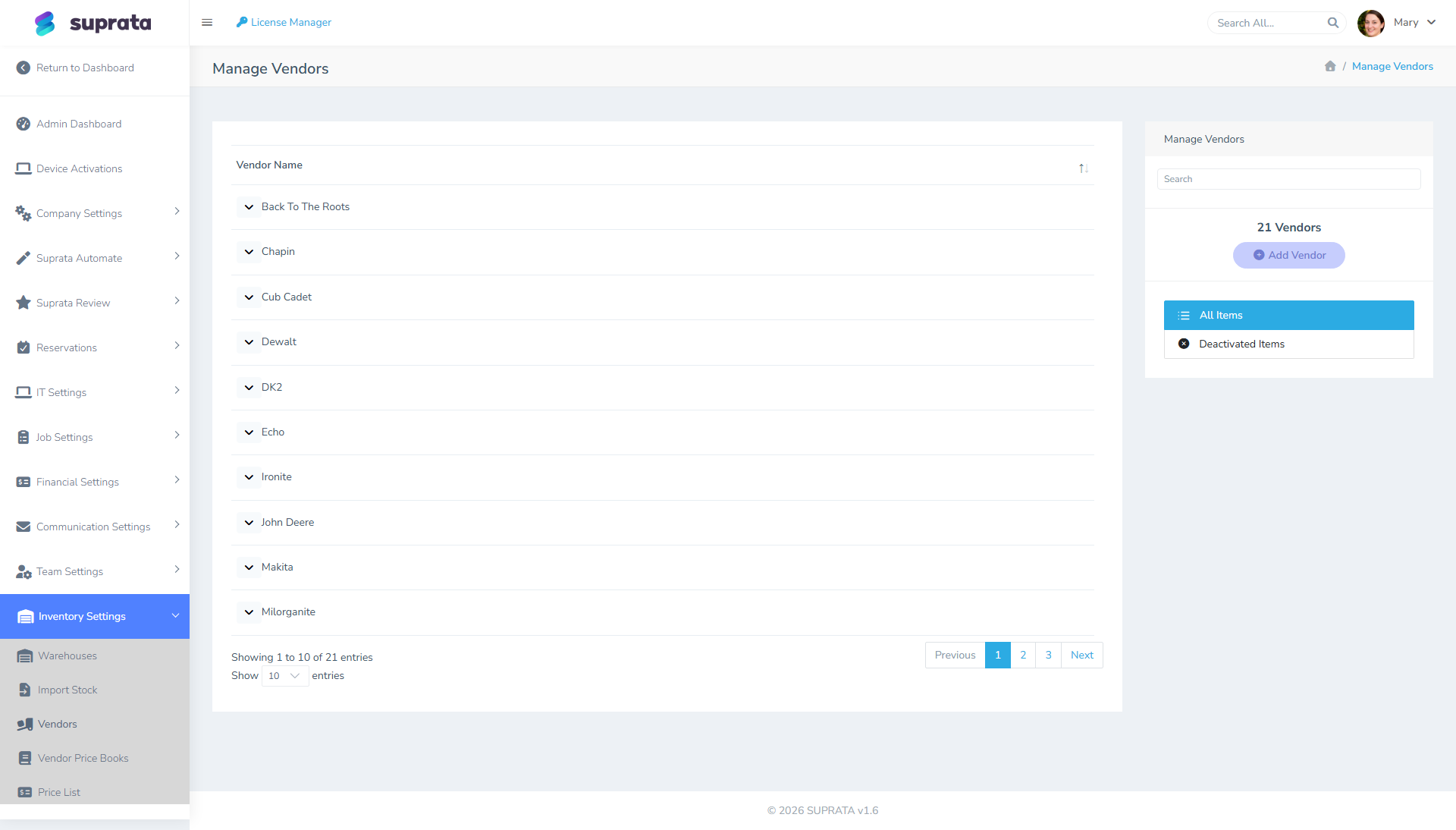
Each vendor record carries:
- Name — the vendor's company name.
- Contact info — phone, email, address.
- Account number with this vendor (your customer number on their side).
- Payment terms with this vendor (Net 30, Net 60, etc.).
- Notes — useful context: who's your rep, which warehouse delivers to you, anything else.
- Ordering details — Order Email, Copy Email To, How We Send Orders (email or print/phone), Send Automatically and Usual Lead Time (days). These drive purchase orders: where they're emailed, and when parts are expected. See Purchase orders: from request to receiving.
Add each vendor you actively buy from. Don't pre-create vendors you've never used; they clutter the list.
Vendor pricebooks
A vendor pricebook is the catalog of items that vendor sells, with their prices. Two ways to populate it:
Hand-entry as you go
The most common pattern: when you place an order with a vendor, the items on the invoice get added to that vendor's pricebook with the prices they charged. Over time the pricebook fills up with the items you actually buy from them, at the prices you actually paid.
Advantage: real prices, organic growth, no upfront work. Disadvantage: incomplete coverage; you only know about items you've already bought.
Bulk import from vendor's catalog
If your vendor publishes a full catalog in CSV or Excel, you can import it into their pricebook in bulk. Now you can look up any of their items, even ones you haven't bought yet — useful for quoting jobs.
Advantage: complete coverage, easy lookup. Disadvantage: requires the vendor to publish, and the prices go stale unless you re-import periodically.
A hybrid approach is common: import the vendor's full catalog once, then update specific items as you actually buy them at potentially-different prices.
Linking pricebook items to your sellable catalog
A pricelist item (the thing you sell) can be linked to one or more vendor pricebook entries (the things you buy). The link does several things:
- Cost on the pricelist item is read from the linked pricebook rather than entered manually.
- When the vendor's price changes, you update the pricebook entry and the cost on the sellable item updates automatically.
- Margin reports show actual margin (price − cost) using current cost.
- For items with multiple vendors, you can choose which vendor's cost to use for margin (typically the vendor you actually bought it from on this job, or the lowest-cost option).
The setup: on the pricelist item, set the linked vendor and pricebook entry. From then on the cost field reflects the pricebook.
Multi-vendor items
When you can buy the same physical item from two or more vendors, multiple pricebook entries can link to one sellable pricelist item. Some practical patterns:
- Primary vendor + backup. Designate your usual vendor as primary; backup is for when the primary is out of stock. Margin reports use the primary; if you actually bought from the backup, override on the specific job.
- Cheapest current price. Some businesses always buy from whichever vendor is currently cheapest. The system can show the lowest-cost option among linked vendors; you pick at order time.
- Geographic or warehouse-specific. Different vendors deliver to different warehouses; the right vendor depends on which warehouse you're picking from.
The complexity of multi-vendor handling depends on how disciplined you want to be about cost tracking. For a small operation, single-vendor links per item is usually enough.
Margin tracking — what makes this worth it
The whole point of separating vendor pricebooks from sellable prices is being able to answer real margin questions:
- By item: "What's my margin on this part?" (Sell price minus current vendor cost.)
- By job: "What's my gross margin on this job?" (Sum of line item margins for the job's items.)
- By customer: "Which customers are most profitable?" (Aggregated job margins by customer.)
- By vendor: "Which vendor gives me the best margin on what I sell?"
- By time: "Has my margin compressed this quarter?" (Trend of average margin over time.)
These questions are noise without real cost data; they're actionable with it. If you find your margin numbers don't tell you anything useful, the most likely cause is missing or stale vendor pricebooks — fix that first before doubting the reports.
Updating pricebook prices
Vendor prices change. The cleanest update flow:
- Receive a vendor invoice or new catalog.
- Compare to your existing pricebook for that vendor.
- Update the pricebook entries that have changed prices.
- Note the date of the price change in the entry.
This can be done one item at a time as you discover changes, in batch (when a vendor publishes a new catalog), or partially automated (some vendors publish CSV updates you can import into the pricebook).
The key discipline: don't update pricebooks retroactively for past purchases. Historical purchase records keep the price you actually paid; pricebook updates apply going forward. If your last purchase was at $50 and the new price is $55, the historical purchase shows $50 — that's correct.
What syncs to QuickBooks
Vendor records sync to QuickBooks Vendors if QB is connected. Vendor pricebooks generally do not sync to QB — QB doesn't have a direct equivalent. Purchases from vendors (your bills payable to them) are what syncs, not the pricebook.
The implication: vendor pricebooks are Suprata-internal data. Don't expect them to flow through to QB; their value is in your local margin reporting.
Common mistakes
- Putting vendor cost in the sellable pricelist item directly and never tracking who you buy it from. Works on day one; falls apart on day 90 when you have three vendors and prices have changed twice.
- Treating "Cost" on the pricelist as if it never changes. It does, every time the vendor adjusts pricing. Without a pricebook, you have to remember to update the pricelist; with one, the link does it for you.
- Pre-creating vendors you've never used. They clutter the list and confuse staff. Add vendors as you start buying from them.
- Importing a vendor's full catalog into their pricebook and never re-importing. Catalog goes stale within months. Either re-import periodically or stick to populating from actual purchases.
- Linking sellable items to the wrong vendor. "Acme #12345" is not "Beta #12345" — the SKUs are coincidentally the same but the vendors and prices differ. Link to the right vendor's pricebook entry, not just any matching SKU.
- Mixing pricebook prices and sellable prices in the same field. Some businesses' pricelist has "wholesale" and "retail" columns mixed in. That's a workaround for not having a vendor system; once you have vendors, use them and clean up the catalog.
- Forgetting that historical jobs and invoices show historical cost, not current. A job from last year shows the cost at that time. If margin reports look "off" historically, they're correct — costs have changed since.
- Not setting payment terms on vendor records. Net-30 vs. Net-60 affects your cash-flow reporting; without terms set, the system can't compute when you owe whom.
Related articles
- Adding items to the price list
- Importing a price list from CSV
- Warehouses and stock tracking
- Purchase orders: from request to receiving
- QuickBooks prerequisites
- Cost reporting and margin analysis (forthcoming)